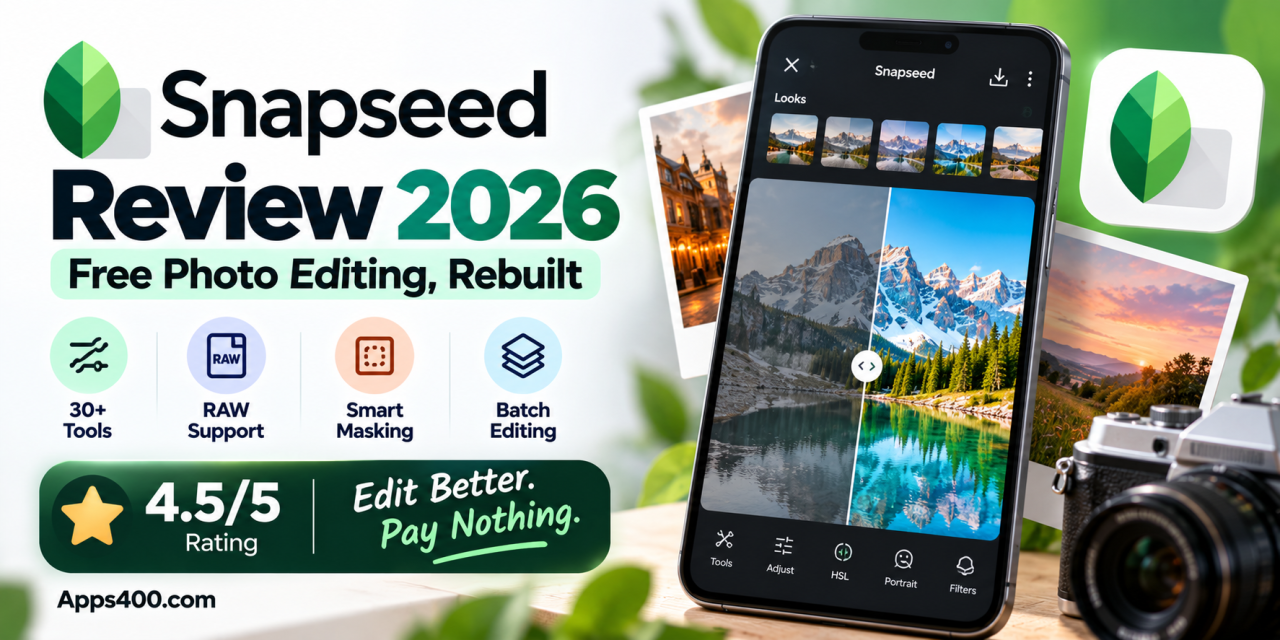
For most of the last decade, Snapseed was the photo editor everyone recommended and nobody updated. Google bought it from Nik Software in 2012, and it remained one of the most capable free photo-editing apps on a phone. But it sat almost untouched for years while Lightroom, VSCO and Picsart moved ahead.
That changed in 2025 and 2026. Google rebuilt Snapseed on iPhone with version 3.0 in June 2025. In May 2026, it shipped Snapseed 4.0 on both Android and iOS. Version 4.0 brings a new interface, a built-in camera, non-destructive and batch editing, Smart Masking, and new tools such as Color HSL, Dehaze, Halation and Bloom. The latest Android build, released on October 5, 2026, adds wider RAW support and Undo/Redo.
So, is Snapseed worth installing again in 2026? Here’s our full Snapseed review.
What Is Snapseed?
Snapseed is a free photo-editing app from Google for Android and iPhone. It has no subscription, in-app purchases or ads, and its main editing tools are available without a premium tier.
It has more than 30 tools and filters. They range from basic fixes such as Tune Image, Crop and White Balance to advanced controls such as Curves, Healing, Perspective and selective adjustments. It also includes creative effects such as Double Exposure, Lens Blur, Grainy Film and Text.
What’s New in Snapseed 4.0?
A Redesigned Interface Built for Speed
The old Snapseed interface had remained largely unchanged for years. Version 4.0 replaces it with a cleaner and more modern layout.
Key changes include:
- A home gallery: Makes it easier to access photos you have previously edited.
- Looks: Apply and customize preset styles.
- Tools: Browse Snapseed’s full collection of editing controls.
- Export: Save and share finished images.
- Tool pinning: Keep frequently used tools easier to access.
- Dial-style controls: Make more precise adjustments alongside the familiar swipe-based controls.
The familiar swipe-up/down tool menu and swipe-left/right adjustments are still available. They now sit inside a more modern interface.
Non-Destructive and Batch Editing
One of the biggest functional upgrades is Snapseed’s improved editing workflow. Snapseed can retain your edit stack, allowing you to reopen an image and change previous adjustments instead of starting from scratch. You can also work with multiple images and apply edits as a batch. This can save time when processing a collection of travel, event or social-media photos that need a consistent look.
The New Snapseed Camera
Snapseed now includes its own camera, allowing you to shoot and edit within the same app. You can capture photos with film-inspired looks and continue editing them afterward while retaining the original image. The camera includes film-inspired styles based on classic looks associated with Kodak, Fuji, Agfa, Polaroid and Technicolor. A PRO mode also provides manual controls such as ISO, shutter speed and focus. For street, travel and film-inspired photography, having these controls directly inside the editing app makes Snapseed more versatile than earlier versions.
Smart Masking and New Creative Tools
Version 4.0 adds Smart Masking for region-based edits. This allows you to apply adjustments to specific areas of an image rather than changing the entire frame.
For example, you can brighten a face while leaving the background mostly unchanged or adjust the sky without significantly changing the foreground.
New tools include:
- Color (HSL): Adjust hue, saturation and luminance for individual colors.
- Dehaze: Reduce haze and restore contrast and clarity.
- Bloom: Add a soft glow to bright areas.
- Halation: Recreate the reddish glow associated with traditional film photography.
The Film tool also includes new film-inspired styles, while the Portrait tool has been improved. Crop and Rotate are now combined into a more streamlined workflow.
Wider RAW Support and Undo/Redo in Snapseed 4.1
The newest Android build, Snapseed 4.1.10, released on October 5, 2026, expands RAW support to additional formats, including DNG, ARW, RAF, NEF, CR3, ORF and PEF. That makes Snapseed more useful for photographers who transfer RAW files from mirrorless and other dedicated cameras to their phones. The update also adds Undo and Redo functionality to most editing actions, addressing a long-standing limitation of the app’s editing workflow.
Snapseed Features at a Glance
| Feature | Snapseed 2026 |
|---|---|
| Price | Free, no ads, no subscription |
| Platforms | Android and iOS |
| Number of tools | 30+ tools and filters |
| Non-destructive editing | Yes |
| Batch editing | Yes |
| Built-in camera | Yes, with film looks and PRO manual controls |
| Masking | Smart Masking for region-based edits |
| RAW editing | Yes, with expanded support on the latest Android build |
| AI generative tools | No |
Snapseed Pros and Cons
Pros
- Completely free: No paywalls, ads or premium tools held back.
- Pro-grade tools: Includes Curves, HSL, Healing, Perspective and masking.
- Non-destructive and batch editing: Provides a more flexible editing workflow.
- Built-in camera: Includes film-inspired looks and PRO manual controls.
- Good RAW support: The October 2026 Android update adds support for more RAW formats.
- Lightweight: No account is required to use the core editing experience.
Cons
- No cloud sync: There is no cross-device photo library like Lightroom’s.
- No generative AI tools: Users looking for AI object removal or sky replacement may prefer Lightroom or Picsart.
- Staged rollouts: Some features can reach Android and iOS at different times.
- Learning curve: The number of tools and controls can feel overwhelming for beginners.
Snapseed vs. Lightroom Mobile vs. VSCO
Adobe Lightroom Mobile
remains the better choice if you already pay for Creative Cloud and want synchronized edits across your phone, tablet and desktop, along with Adobe’s AI-powered tools. However, many advanced Lightroom features require a paid plan.
VSCO
is known for its film-style presets and creative photography community. However, much of its preset library and advanced features are available through a membership.
Snapseed occupies a different position. It provides a large collection of advanced editing tools without requiring a subscription. With version 4.0’s film looks, masking and HSL controls, the gap between Snapseed and paid mobile editors is smaller than it has been in years.
| App | Best For | Price Model |
|---|---|---|
Snapseed |
Free professional photo editing | Free |
Adobe Lightroom |
Professional workflow and cloud sync | Free + paid features |
VSCO |
Film looks and creative presets | Free + membership |
Who Should Use Snapseed in 2026?
- Casual photographers who want better editing tools than their phone’s standard gallery editor.
- Photography enthusiasts and hobbyists who shoot RAW and want advanced controls on their phone.
- Travel and street photographers who can benefit from the film-inspired camera and batch editing.
- Social media creators who need fast and consistent edits across multiple photos.
If you rely heavily on cloud synchronization or generative AI editing, you may want to pair Snapseed with another tool or choose Lightroom instead.
Our Verdict: 4.5/5
Snapseed has gone from a well-loved but outdated photo editor to one of the most complete free photo-editing apps on Android and iPhone in 2026. The redesign, non-destructive and batch editing, built-in camera, Smart Masking and expanded RAW support address many of the limitations users had with the older version. It still lacks cloud synchronization and generative AI features, but few free mobile photo editors offer this much control without requiring a subscription.
Bottom line: If you uninstalled Snapseed years ago, it’s worth reinstalling. If you’ve never tried it, Snapseed should be one of the first free photo editors you consider on a new phone.
Download Snapseed
Snapseed is available for free on Android and iPhone.
Android:
Google Play Store
iPhone:
Have you tried the new Snapseed 4.0 camera or film looks? Tell us your favorite Snapseed tool in the comments.
For more honest app reviews and the best Android and iPhone apps of 2026, explore more on Apps400.com.