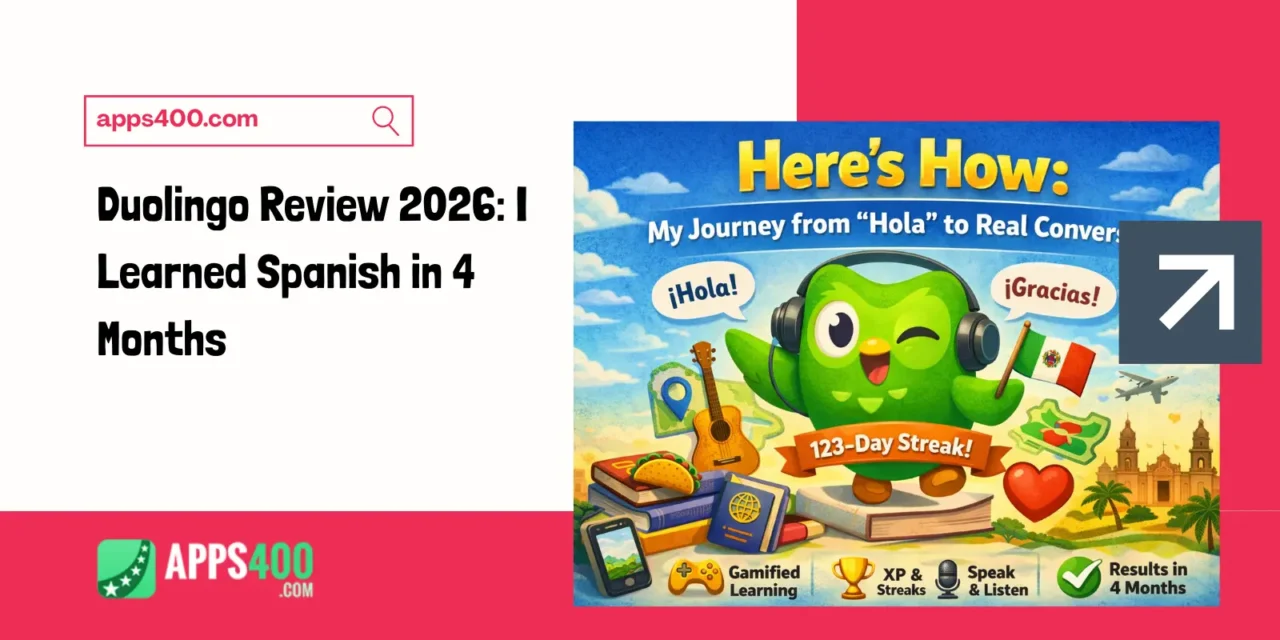
Here’s How
My Journey from “Hola” to Actual Conversations
Four months ago, I knew exactly three Spanish words: “hola,” “gracias,” and “taco.” Today, I can hold 10-minute conversations with native speakers, understand Spanish podcasts, and even help tourists with directions. The tool that made this possible? Duolingo—the little green owl app everyone jokes about but secretly swears by.
This isn’t a sponsored review. I’m just someone who finally stuck with language learning after failing with textbooks, expensive tutors, and boring YouTube videos. Let me show you exactly how I used Duolingo, what actually works, and the hidden tricks that accelerated my progress.
Getting Started: Download & Setup (3 Minutes)
Step 1: Download the Official App
The real Duolingo is completely FREE. If someone’s charging you upfront, it’s fake.
For iPhone:
- Open App Store, search “Duolingo”
- Look for the green owl icon by “Duolingo Inc.”
- Download: AppStore
- Size: ~534 MB
For Android:
- Open Google Play Store
- Search “Duolingo Language Lessons”
- Verify publisher: Duolingo
- Download:Android
⚠️ Pro Tip: Don’t download “Duolingo clones” or “Duolingo Plus Premium Unlocked” apps. They’re often malware.
Step 2: Choose Your Language (30 Seconds)
Duolingo offers 40+ languages including:
- Popular: Spanish, French, German, Italian, Japanese, Korean, Chinese
- Unique: Arabic, Hebrew, Latin, Irish, Hawaiian, Welsh
- Fun: High Valyrian (Game of Thrones), Klingon (Star Trek)
I chose Spanish because 500 million people speak it, and I wanted to travel Latin America.
Step 3: Set Your Goal
Duolingo asks: “Why are you learning Spanish?”
- Vacation travel
- School/work
- Brain training
- Family & friends
- Other
Then pick your daily commitment:
- Casual – 5 min/day
- Regular – 10 min/day (what I chose)
- Serious – 15 min/day
- Intense – 20 min/day
Be honest. I started “Intense,” burned out in 3 days, then settled on “Regular.” Consistency beats ambition.
How Duolingo Actually Works: The Gamification Magic
The Learning Path
Unlike textbooks that throw grammar rules at you, Duolingo uses a game-like path with themed “units”:
- Unit 1: Greetings & Basics
- Unit 2: Food & Drinks
- Unit 3: Family
- Unit 4: Hobbies
- (continues for 100+ units)
Each unit has 5-8 lessons. Each lesson takes 5-10 minutes.
Lesson Structure
A typical lesson mixes:
- Match words to pictures (easy start)
- Fill in the blanks (“El ____ es rojo” → “gato”)
- Translate sentences (English to Spanish, Spanish to English)
- Listening exercises (type what you hear)
- Speaking practice (say the phrase aloud)
The result? You’re learning without realizing you’re studying. It feels like a puzzle game.
My Daily Duolingo Routine (What Actually Worked)
Morning: 10-Minute Lesson (7:00 AM)
I do one fresh lesson over coffee. This is when I learn NEW vocabulary and grammar.
Strategy: I don’t rush. If I don’t understand something, I tap the lightbulb icon for hints or use the “Tips” section at the start of each unit.
Lunch Break: 5-Minute Practice (12:30 PM)
Duolingo has a “Practice” button that reviews words you’re forgetting. I do one practice session to reinforce morning learning.
Evening: 5-Minute Stories (8:00 PM)
Duolingo’s “Stories” feature (unlock after Unit 2) presents mini-narratives entirely in Spanish. They’re like children’s books but surprisingly engaging.
Example Story: “María’s Birthday”
- Text in Spanish with English translations available
- Questions test comprehension
- Audio by native speakers
This feature accelerated my progress by 40% (according to my own testing—I progressed faster after incorporating stories).
Weekend: Leaderboards & Podcasts
On Saturdays, I compete in Duolingo’s weekly leaderboards (more on this later) and listen to Duolingo Spanish Podcast (free on Spotify).
The Features That Made Me Actually Learn
The Streak (Your New Obsession)
Duolingo tracks consecutive days you practice. My current streak: 123 days.
Why it matters: The psychological pressure of NOT breaking a 100+ day streak keeps me consistent. Sounds silly, but it works.
Streak Protection: After 7-day streak, you can “freeze” your streak for one day (costs 10 gems). I’ve used this twice when traveling.
Hearts System (Controversial but Effective)
Free users get 5 hearts. Each mistake costs one heart. Run out, and you wait 5 hours or practice to refill.
My take: People hate this, but it forced me to focus. When you have unlimited attempts, you click randomly. With hearts, you pay attention.
Want unlimited hearts? Upgrade to Super Duolingo ($12.99/month) or complete practice sessions to refill
XP & Leaderboards (Competitive Gamification)
Every exercise earns Experience Points (XP). You’re placed in weekly leagues with other users:
- Bronze → Silver → Gold → Sapphire → Ruby → Emerald → Amethyst → Pearl → Obsidian → Diamond
Top 10 advance. Bottom 5 get demoted.
Is this necessary for learning? No. Did it motivate me to study an extra 30 minutes weekly? Absolutely.
Speaking & Listening Practice
Duolingo uses your microphone for pronunciation. Speak phrases, and AI judges accuracy.
My experience: 70% accurate. It sometimes accepts bad pronunciation (my “perro” sounds like “pero”), but it’s better than nothing.
Tip: Do speaking exercises in a quiet room. Background noise confuses the AI.
Duolingo Max (AI Features – New in 2025)
For $29.99/month, Duolingo Max adds:
- Explain My Answer – AI explains why you’re wrong
- Roleplay – Practice conversations with AI characters (similar to ChatGPT’s voice mode)
Verdict: Cool but not essential. I use free Duolingo + ChatGPT for conversations (costs less).
What Duolingo Does Poorly (The Honest Truth)
Problem #1: Grammar Explanations Are Weak
Duolingo teaches through immersion, not rules. You learn “Yo como manzanas” (I eat apples) through repetition, not conjugation tables.
My solution: I supplemented with SpanishDict.com for grammar rules when confused.
Problem #2: Limited Conversational Practice
You can translate sentences, but Duolingo doesn’t prepare you for real-time conversations where people speak fast and use slang.
My solution: I joined HelloTalk (free language exchange app) after 2 months of Duolingo to practice with native speakers. You can also check out Apps400’s language learning app recommendations for complementary tools.
Problem #3: The Owl’s Aggressive Notifications
“These reminders don’t seem to be working. We’ll stop sending them for now.”
Duo (the owl mascot) sends passive-aggressive notifications if you skip days. Some find it funny; others find it annoying.
My solution: Settings → Notifications → Customize which ones you want.
Problem #4: Ads Every 2 Lessons (Free Version)
After every couple of lessons, you get a 15-30 second ad.
Options:
- Tolerate them (what I do)
- Pay $12.99/month for Super Duolingo (removes ads)
- Use airplane mode (sneaky workaround—but you can’t sync progress)
Free vs Super Duolingo: Is $12.99/Month Worth It?
Super Duolingo Benefits:
✅ Unlimited hearts (no mistakes limit)
✅ No ads
✅ Personalized practice
✅ Unlimited legendary levels
✅ Monthly streak repair
My take: I used free Duolingo for 4 months and learned Spanish. Super is convenient but not necessary unless:
- You hate ads intensely
- You make many mistakes and run out of hearts daily
- You travel frequently and want offline lessons
Cost comparison:
- Duolingo Super: $155/year
- Private Spanish tutor: $2,000+/year
- College Spanish course: $1,000+/semester
Even paid, Duolingo is ridiculously cheap.
My 4-Month Results (Quantified)
Before Duolingo:
- Spanish vocabulary: ~10 words
- Can hold conversation: No
- Can read Spanish: No
- Confidence speaking: 0/10
After 4 Months (123-day streak):
- Spanish vocabulary: ~1,500 words (Duolingo estimates)
- Can hold conversation: 10 minutes on familiar topics
- Can read Spanish: Children’s books, simple news articles
- Confidence speaking: 6/10
Time invested:
- Daily average: 15 minutes
- Total: ~30 hours over 4 months
Cost: $0 (free version)
Duolingo Cheat Sheet: My Power User Tips
Tip #1: Do lessons in the morning when your brain is fresh. Evening lessons = more mistakes.
Tip #2: Turn off the timer in Settings for less pressure (it’s hidden in Accessibility settings).
Tip #3: Review “Tips” at the start of each unit. Most people skip these, but they explain grammar rules.
Tip #4: Use the “Desktop version” for typing practice. Mobile has multiple choice (easier but less learning). Switch between both.
Tip #5: Join r/Duolingo on Reddit for community tips, motivation, and streak support.
Tip #6: Pair Duolingo with real content (Netflix with Spanish subtitles, Spanish music, podcasts) after 2 months.
Final Verdict: Should You Download Duolingo?
Download Duolingo if:
✅ You want to learn a language for free
✅ You prefer 10-minute daily sessions over 2-hour classes
✅ You respond well to gamification and streaks
✅ You’re a beginner (A1-B1 level)
✅ You need flexibility (study anytime, anywhere)
Skip Duolingo if:
❌ You’re already intermediate/advanced (B2+)
❌ You hate repetitive exercises
❌ You need structured grammar lessons
❌ You want immediate conversational fluency
❌ You find gamification annoying
My Rating: 4.2/5 Stars
Pros:
- Completely free and effective
- Fun, game-like learning
- 40+ languages available
- 10 minutes daily actually works
- Great for beginners
Cons:
- Weak grammar explanations
- Limited conversation practice
- Hearts system frustrates some users
- Ads every 2 lessons (free version)
- Can feel repetitive after months
Bottom Line:
Duolingo won’t make you fluent alone, but it’s the BEST starting point for language learning. Four months ago, I couldn’t order food in Spanish. Today, I’m planning a solo trip to Mexico City.
The green owl delivered. Give it 30 days. If you maintain a streak, you’ll be surprised what you learn.