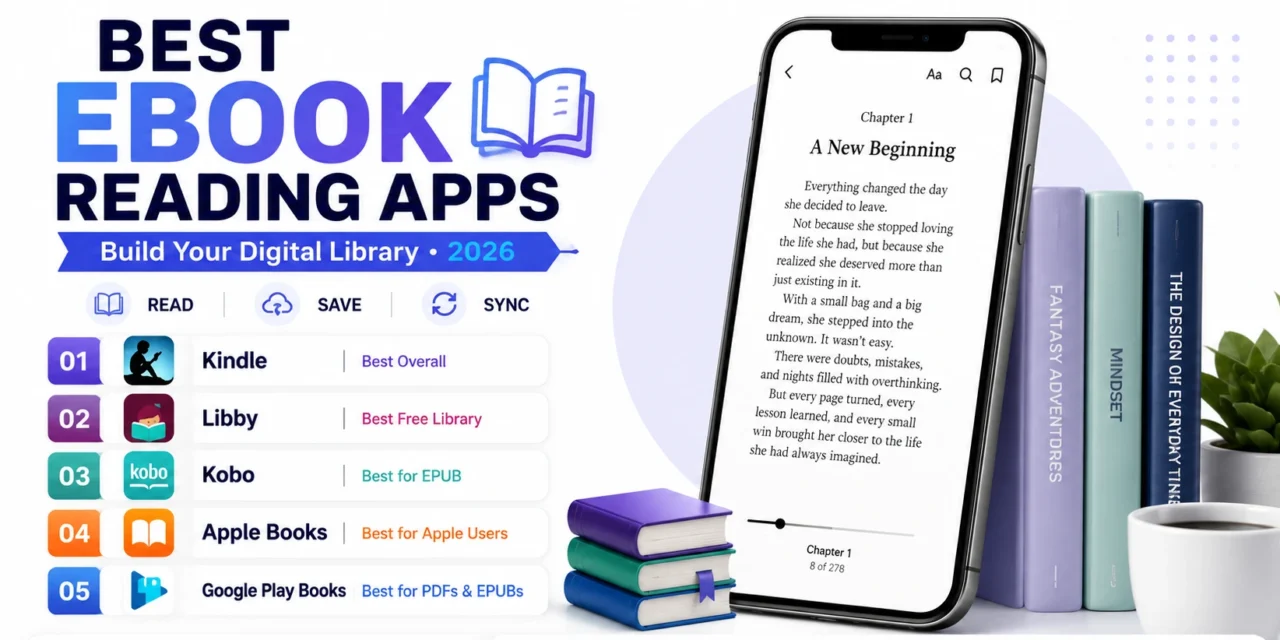
A dedicated e-reader remains the best experience for serious daily reading, but plenty of people genuinely don’t want to carry a second device just for books, and modern ebook reading apps have gotten good enough that a phone or tablet can function as a genuinely capable digital library on its own. These apps have matured well beyond simple page-turning, now offering synced reading progress across devices, genuinely useful highlighting and note-taking, and in some cases free access to enormous library catalogs. Here are five ebook reading apps worth using this year for building a digital library without a dedicated e-reader device. Most also support adjustable font size, line spacing, and even dark mode for nighttime reading, letting a reading experience feel genuinely personalized rather than fixed to one default layout. Several also offer built-in dictionary lookup, letting a reader tap an unfamiliar word for an instant definition without ever leaving the page.
Kindle App
The Kindle app brings Amazon’s enormous ebook catalog and Whispersync progress tracking to any phone or tablet, letting a reader switch seamlessly between a phone and a Kindle device without losing their place in a book.
🔗 Download on Play Store | www.amazon.com/kindle-dbs/fd/kcp
Libby
Libby connects directly to a user’s local library card, offering genuinely free access to a huge range of ebooks and audiobooks through public library lending, making it one of the best values in the entire category.
🔗 Download on Play Store | libbyapp.com
Kobo App
The Kobo app supports a genuinely wider range of ebook formats than some competitors, including EPUB, appealing to readers who buy from independent bookstores rather than being locked into one retailer’s proprietary format.
🔗 Download on Play Store | www.kobo.com
Apple Books
Apple Books integrates tightly with the broader Apple ecosystem, syncing reading progress and highlights seamlessly across iPhone, iPad, and Mac for users already invested in Apple hardware.
Google Play Books
Google Play Books offers a genuinely flexible library supporting both purchased ebooks and personally uploaded PDF or EPUB files, appealing to readers who want one app handling both store purchases and their own existing files.
The right app often depends on existing purchasing habits and library card access more than raw feature comparison. Libby is worth setting up regardless of which other app becomes a primary reader, since free library access through an existing card genuinely costs nothing and often covers a surprising range of popular titles. Kindle remains the most natural choice for readers already buying from Amazon regularly, while Kobo suits readers who prefer supporting independent bookstores or want format flexibility beyond one retailer’s ecosystem. Apple Books suits users deeply embedded in Apple’s ecosystem who want the smoothest possible cross-device sync without a third-party account. Google Play Books’ support for personally uploaded files is worth using specifically for readers who already have a collection of PDFs or EPUBs from sources outside a major retailer.
A phone can genuinely function as a full digital library once the right app and a bit of organization are in place, removing the need for a dedicated device unless serious daily reading specifically calls for one later. Start with Libby for the free library access alone, and layer in whichever retailer app matches your actual buying habits, and a real digital library builds itself gradually without ever needing a separate purchase. Once a habit of reading on a phone genuinely sticks, some readers find they read even more consistently than they did with a dedicated device, simply because the phone is already always within reach.