Six months ago, I was a Spotify-only user. Then I inherited my uncle’s FLAC music collection—5,000 high-quality albums from 40 years of collecting. Android’s default music player sounded terrible and couldn’t handle my library. I tried Poweramp, and suddenly my phone became a genuine audiophile music player.
This review comes from someone who rediscovered local music through Poweramp’s superior audio quality and endless customization.
What Is Poweramp?
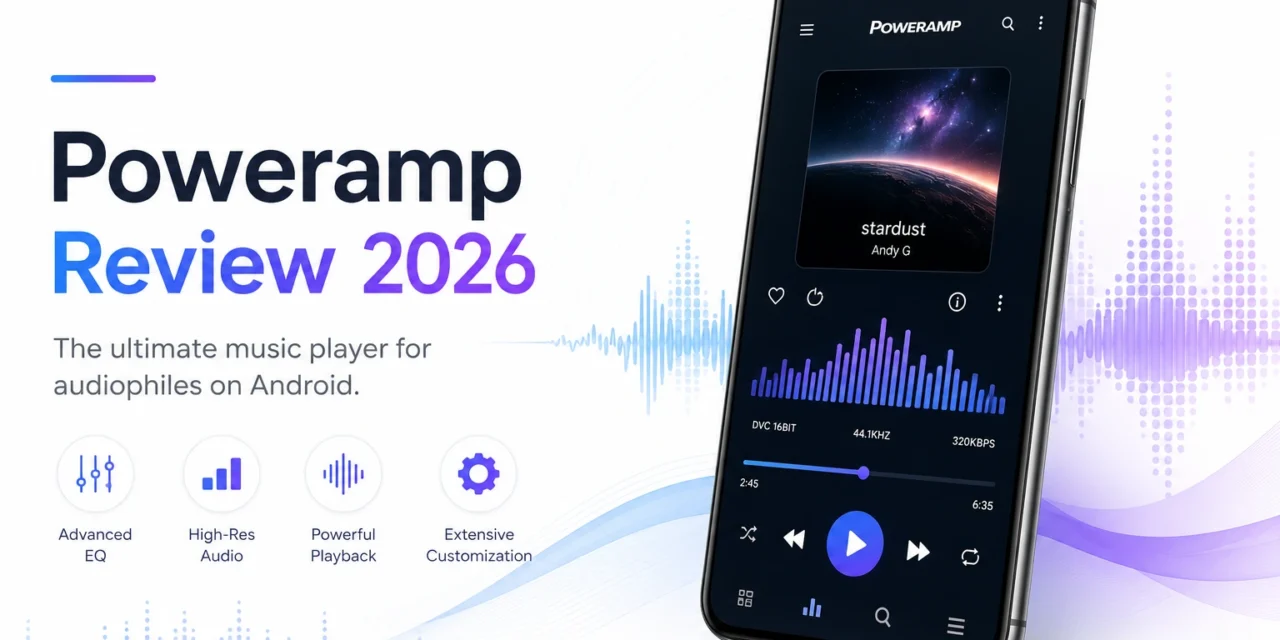
Poweramp is a premium Android music player for locally stored audio files. It plays MP3, FLAC, WAV, AAC, OGG, and 30+ formats with a 10-band equalizer, gapless playback, Hi-Res audio output, lyrics support, and extensive customization.
Key features: Professional equalizer with presets, crossfade and gapless playback, album art downloader, folder browsing, queue management, sleep timer, and theme engine.
Download from Google Play Store: Poweramp Music Player. Free trial (15 days), then $4.99 one-time purchase. Android 5.0+.
Why Use Poweramp When Spotify Exists?
Fair question. Streaming services dominate 2026. Why pay for a local music player?
My reasons:
Audio Quality: Spotify streams at 320kbps (Premium) or 160kbps (Free). My FLAC files are lossless (1,411kbps). The difference is audible on good headphones.
Offline Access: No internet = no Spotify. My music library works everywhere—flights, camping, international travel (no roaming fees).
Ownership: Spotify licenses music. Artists/labels can remove songs. I own my files forever.
No Subscriptions: Spotify Premium costs $144/year. Poweramp costs $4.99 once.
Rare Music: My uncle’s collection includes live recordings, bootlegs, and obscure artists not on streaming services.
Streaming is convenient. Local music is higher quality and permanent. Poweramp makes local music actually enjoyable.
Audio Quality: The Core Feature
10-Band Equalizer:
Poweramp’s EQ is studio-grade. Adjust 10 frequency bands (60Hz to 16kHz) with ±12dB range.
Presets included:
- Rock, Pop, Jazz, Classical, Hip-Hop
- Vocal Booster, Bass Booster
- Custom (I created “Headphone Balanced”)
I use different presets for:
- Earbuds: Bass Boost (compensates for weak low-end)
- Over-ear headphones: Flat (no EQ needed)
- Car speakers: Custom (reduce harsh treble)
Other audio features:
- Tone controls: Bass, Treble, independent adjustment
- Stereo expand: Widens soundstage
- Mono mix: Useful for damaged headphone cables
- Volume limiter: Prevents accidental ear damage
- Replay Gain: Normalizes volume across tracks
These aren’t gimmicks. Proper EQ transforms audio quality significantly.
Hi-Res Audio Output:
Poweramp supports Hi-Res audio (up to 384kHz/32-bit). On compatible devices with USB DACs or Bluetooth aptX HD, you get studio-quality playback.
My setup: Samsung Galaxy S23 + FiiO USB DAC + Sennheiser HD 600 headphones. Lossless FLAC files sound incredible.
Gapless Playback:
Live albums, DJ mixes, and concept albums flow seamlessly without silence between tracks. Stock Android music players pause between songs. Poweramp doesn’t.
For Pink Floyd’s “Dark Side of the Moon,” this is essential. Gapless playback preserves the album’s flow.
Library Management
Folder Browsing:
Poweramp reads music from any folder. My structure:
- Music/Artist/Album/Tracks
- Music/Compilations/
- Music/Soundtracks/
Tag Editing:
Built-in tag editor fixes incorrect metadata. I’ve corrected hundreds of mistagged files (wrong artist, missing album art).
Album Art:
Automatic album art downloader. Imported 5,000 songs without art. Poweramp found and embedded artwork for 4,700 (94% success rate).
Remaining 300, I added manually by dragging images from Google.
Smart Playlists:
Create dynamic playlists:
- “Most Played” (top 100 songs)
- “Recently Added” (last month’s imports)
- “Never Played” (discover forgotten music)
I created “Morning Commute” playlist: upbeat songs rated 4+ stars, excluding heavy metal and classical.
Customization and Themes
Skins/Themes:
Poweramp’s default skin is functional but ugly. Install custom skins from Play Store:
Popular skins:
- Material Skin (modern, colorful)
- Yaps (minimal, clean)
- Black UIUC (dark, AMOLED-friendly)
I use “Material Skin.” Looks like a professional streaming app instead of 2012 software.
Lockscreen Controls:
Customizable lockscreen player shows:
- Album art (full screen or small)
- Track info
- Playback controls
- Waveform seeker
Looks beautiful and functional.
For more Android customization, check Apps400’s Android apps guide.
What Poweramp Does Poorly
Problem #1: No Cloud Integration
Poweramp plays local files only. No Spotify, YouTube Music, or cloud streaming integration.
If you want streaming + local in one app, Poweramp isn’t it. Use separate apps.
Problem #2: Outdated Default Interface
Without custom skins, Poweramp looks dated. The default blue/gray theme screams 2015.
Solution: Install a modern skin (takes 2 minutes).
Problem #3: Learning Curve
Poweramp has 300+ settings. Overwhelming initially.
I spent 3 hours exploring menus before understanding everything. Casual users might bounce off.
Problem #4: Local Music is Inconvenient
Downloading, organizing, and syncing music to your phone takes effort. Spotify just works.
Poweramp is for people who value audio quality and ownership over convenience.
Poweramp vs Competitors
Poweramp vs Stock Music Player:
- Stock wins: Pre-installed, simple, free
- Poweramp wins: Audio quality, features, customization
Poweramp vs Musicolet (free):
- Musicolet wins: Free, simpler, lightweight
- Poweramp wins: Better EQ, Hi-Res support, more polished
Poweramp vs Neutron (audiophile app):
- Neutron wins: Most powerful EQ, highest audio quality possible
- Poweramp wins: Better UI, easier to use, better value ($5 vs $8)
My verdict: For serious audio quality on Android, Poweramp offers the best balance of features and usability.
My 6-Month Results
Library size: 5,247 songs (92GB) Favorite feature: 10-band EQ (improved my headphone audio significantly) Playlists created: 14 Most played: “Commute Mix” (347 plays)
Audio quality difference: A/B tested Poweramp (FLAC) vs Spotify Premium (320kbps). With good headphones, FLAC sounds noticeably clearer, especially in complex instrumental passages.
Convenience trade-off: Syncing new music to my phone takes 10 minutes weekly vs Spotify’s instant access. Worth it for audio quality.
Should You Buy Poweramp?
Buy Poweramp if:
✅ You maintain a local music library
✅ You care about audio quality
✅ You own good headphones (otherwise quality difference is minimal)
✅ You want offline music without streaming costs
✅ You enjoy customizing your music player
Skip Poweramp if:
❌ You stream exclusively (Spotify, YouTube Music work fine)
❌ You don’t have local music files
❌ You use cheap earbuds (won’t hear quality difference)
❌ Convenience matters more than audio quality
❌ You don’t want to manage music files
My Rating: 4.6/5 Stars
Pros:
- Excellent audio quality (10-band EQ, Hi-Res support)
- One-time $4.99 purchase (no subscription)
- Plays every audio format
- Gapless playback
- Extensive customization
- Regular updates (still actively developed)
Cons:
- Outdated default interface
- Overwhelming settings for beginners
- No streaming integration
- Local music requires effort
- Not for casual listeners
Bottom Line:
Poweramp is the best Android music player for audiophiles and local music enthusiasts. The $4.99 price is laughably cheap for what you get—studio-quality EQ, Hi-Res audio, and endless customization.
Six months in, Poweramp reignited my love for music ownership. Streaming is convenient, but hearing albums in lossless quality on good headphones is a superior experience.
If you have a music library (or plan to build one), Poweramp is essential. Download the 15-day trial. Load 50 FLAC files. Adjust the EQ for your headphones. You’ll either immediately appreciate the quality or realize streaming is good enough for you.
For $5, it’s worth finding out.