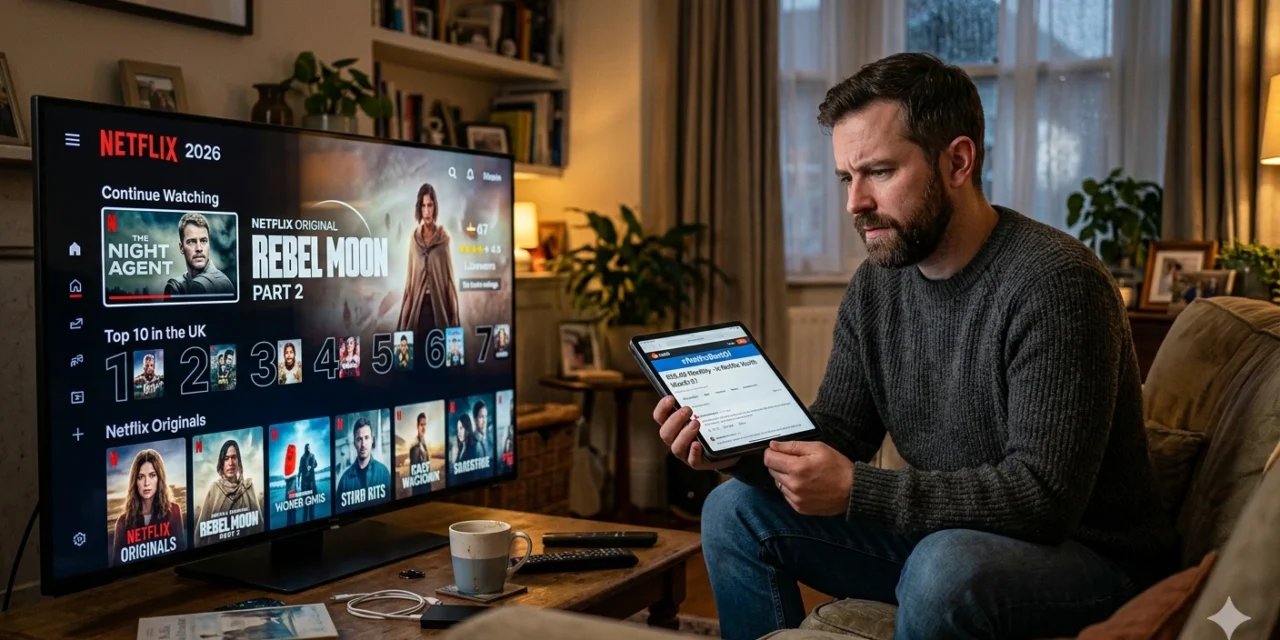
I’ve subscribed to Netflix for 8 years straight. Through price hikes, password-sharing crackdowns, and the rise of Disney+, HBO Max, and Apple TV+, I kept paying. But this year, for the first time, I seriously considered canceling.
This review isn’t from a casual user—I’ve watched 500+ hours of Netflix content, compared it against every major competitor, and tracked whether I’m actually getting value for $15.49 monthly. Here’s my brutally honest assessment of Netflix in 2026.
What Is Netflix?
Netflix is the OG streaming service with 247 million paid subscribers globally. It offers:
- Movies (5,000+ titles)
- TV series (2,500+ shows)
- Documentaries
- Stand-up comedy specials
- Original content (Netflix exclusives)
- Kids programming
- Interactive content (choose-your-own-adventure shows)
No ads (on Standard and Premium plans), download for offline viewing, and watch on multiple devices simultaneously.
Pricing: The Tiers Explained
Netflix now has three subscription levels:
Standard with Ads: $6.99/month
- 1080p HD quality
- 15-30 second ads before/during content
- ~4-5 minutes of ads per hour
- Can’t download content
- Some movies/shows unavailable (licensing restrictions)
Standard (Ad-Free): $15.49/month
- 1080p HD quality
- Zero ads
- Download on 2 devices
- Watch on 2 screens simultaneously
Premium: $19.99/month
- 4K Ultra HD quality
- Zero ads
- Download on 6 devices
- Watch on 4 screens simultaneously
- Spatial audio support
I use Standard ($15.49). 4K isn’t worth $4.50 extra since most of my viewing is on a 1080p TV.
Setup & Getting Started
Download Netflix:
For iPhone/iPad:
- App Store → “Netflix“
- Download by Netflix, Inc.
- Link: Netflix on App Store
- Size: ~264 MB
For Android:
- Google Play → “Netflix“
- Download by Netflix, Inc.
- Link: Netflix on Google Play
- Size: Varies (~50-100 MB)
Smart TV/Streaming Devices: Netflix comes pre-installed on most Roku, Fire TV, Apple TV, and smart TVs.
Account Setup:
- Visit netflix.com or open app
- Enter email and create password
- Choose plan
- Enter payment info (credit card, PayPal, gift cards accepted)
- Start watching
Profile Creation: Netflix allows up to 5 profiles per account (great for families). Each profile has independent:
- Watch history
- Recommendations
- My List
- Viewing progress
I have profiles for myself, my wife, and “Guest” for when friends visit.
Content Library: What’s Actually Available
The Good – Original Content:
Netflix produces exclusive shows/movies you can’t watch anywhere else:
Series I’ve binged:
- Stranger Things (iconic)
- The Crown (historical drama)
- Squid Game (cultural phenomenon)
- Wednesday (Addams Family spinoff)
- The Night Agent (surprisingly good thriller)
Movies worth watching:
- Glass Onion (Knives Out sequel)
- All Quiet on the Western Front (Oscar winner)
- The Gray Man (action packed)
The Problem – Library Shrinking:
Netflix lost major titles to other platforms:
- The Office → Peacock
- Friends → HBO Max
- Disney/Marvel content → Disney+
- Breaking Bad → left, came back, might leave again
Current library in 2026:
- Fewer blockbuster movies
- More original content (hit or miss quality)
- International shows (surprisingly excellent)
I’ve noticed I’m watching more Korean dramas and European series than American content lately.
Features That Make Netflix Stand Out
- Download for Offline Viewing
Essential for:
- Flights (I download 3-4 episodes before any trip)
- Commutes with poor service
- Road trips with kids
- Saving mobile data
How to download:
- Find show/movie
- Tap download icon (down arrow)
- Choose video quality (Standard or High)
- Content saves to device
Limits:
- Can download on 2 devices (Standard plan), 6 devices (Premium)
- Downloads expire after 48 hours once you start watching
- Some content can’t be downloaded (licensing)
- Profiles & Parental Controls
Each profile has:
- Age restrictions (Kids, Teens, Adults)
- PIN protection
- Viewing activity tracking
- Hide specific titles
I locked my profile with a PIN after my toddler nephew somehow started playing Squid Game on my account.
- Interactive Content
Choose-your-own-adventure style shows where you make decisions:
Examples:
- Black Mirror: Bandersnatch (mind-bending)
- You vs. Wild (Bear Grylls survival)
- Cat Burglar (animated comedy)
My nephew loves these. Personally, I prefer passive watching, but it’s a unique feature.
- Skip Intro & Recap Buttons
Netflix added:
- “Skip Intro” – Jumps past opening credits (saves ~90 seconds per episode)
- “Skip Recap” – Skips “previously on…” segments
Time saved: On a 10-episode binge, that’s 15-20 minutes saved. Seems small, but it’s beautiful.
- Smart Downloads
On mobile, enable “Smart Downloads” to auto-delete watched episodes and download the next one when on WiFi.
Use case: I watch my commute show (currently: The Night Agent). Each morning, yesterday’s episode is deleted, today’s is ready. Zero manual management.
The Netflix Algorithm: Why Recommendations Suck
Netflix’s biggest strength used to be recommendations. Now, it feels broken.
Problems I’ve noticed:
Issue #1: Promotes Netflix Originals Aggressively My homepage shows 70% Netflix original content, even stuff unrelated to my taste. They’re pushing their own content over licensed shows I’d actually watch.
Issue #2: Misleading Thumbnails Netflix tests multiple thumbnails for the same show. Sometimes it shows an actor who barely appears in the show just to get clicks. Feels deceptive.
Issue #3: “Top 10 in Your Country” This section is useful, but it’s also algorithmically manipulated. Shows that debut get huge pushes regardless of quality.
Issue #4: Buried Gems Great international content gets hidden because the algorithm prioritizes big-budget originals.
My workaround: I browse Reddit’s r/NetflixBestOf and follow critics on social media for recommendations. Sad that I can’t trust Netflix’s own suggestions.
For more streaming app comparisons, check out Apps400’s entertainment app reviews.
What Netflix Does Poorly in 2026
Problem #1: Price Keeps Rising
Netflix history:
- 2018: $10.99/month
- 2020: $12.99/month
- 2022: $15.49/month
- 2026: Still $15.49 (but content library smaller)
I’m paying 41% more than 2018 for arguably worse content selection.
Problem #2: Password Sharing Crackdown
Netflix now charges $7.99/month to add “extra members” outside your household.
How it works:
- Netflix tracks IP addresses
- If you share with someone at different address, you get prompted to pay extra
- Annoying for legitimate use cases (college students, travelers)
I used to share with my brother in another state. Now he pays for his own account. Netflix gained $7.99/month but annoyed two subscribers.
Problem #3: Cancels Shows Too Quickly
Netflix has a reputation for canceling shows after 1-2 seasons, even good ones:
- The OA (canceled after 2 seasons, massive cliffhanger)
- Archive 81 (canceled after 1 season)
- 1899 (canceled, unresolved plot)
Result: I’m hesitant to start new Netflix shows until they’ve been renewed for season 2. Why invest emotionally in a story that’ll be abandoned?
Problem #4: Quality Control Is Inconsistent
Netflix greenlit 500+ original projects in 2025. Maybe 20% are genuinely good. The rest is forgettable.
Recent disappointments I watched:
- Rebel Moon (2 hours I’ll never get back)
- The Mother (generic action movie)
- Heart of Stone (Gal Gadot spy movie, utterly mediocre)
Contrast this with HBO/Max which produces fewer shows but higher consistent quality.
Netflix vs Competitors (2026 Comparison)
I subscribe to 4 streaming services. Here’s how they stack up:
Netflix vs Disney+:
- Disney+ wins: Marvel, Star Wars, Pixar, classic Disney
- Netflix wins: Adult content, variety, international shows
- Verdict: Families with kids → Disney+. Everyone else → Netflix.
Netflix vs HBO Max:
- HBO wins: Quality over quantity (House of Dragon, Last of Us, Succession)
- Netflix wins: Larger library, more variety
- Verdict: HBO has better shows, but you’ll run out of content. Netflix has something to watch always.
Netflix vs Amazon Prime Video:
- Prime wins: Included with Amazon Prime ($139/year for shipping + video)
- Netflix wins: Better interface, easier to find content
- Verdict: Prime for value hunters, Netflix for pure streaming experience.
Netflix vs Apple TV+:
- Apple wins: Every show is high quality (Ted Lasso, Severance, Silo)
- Netflix wins: 100x more content
- Verdict: Apple TV+ for prestige viewing, Netflix for variety.
My current subscriptions (rotating):
- Netflix (always subscribed)
- HBO Max (subscribe 2-3 months/year for specific shows)
- Disney+ (subscribe when new Marvel/Star Wars drops)
- Apple TV+ (1-month every 6 months for binges)
Is Netflix Worth $15.49/Month in 2026?
Let me do the math on my actual usage:
January 2026 viewing:
- Hours watched: 34 hours
- Shows completed: 2 series
- Movies watched: 6
Cost per hour: $15.49 / 34 hours = $0.46/hour
Comparison:
- Movie theater: $15 per 2 hours = $7.50/hour
- Renting movies: $5-6 per movie = $3/hour
- Cable TV: $80-120/month for comparable content
Verdict: At $0.46/hour, Netflix is still incredibly cheap entertainment.
BUT: I only watch 30-40 hours monthly. If you watch less than 10 hours/month, it’s hard to justify.
Should You Subscribe to Netflix?
Subscribe to Netflix if:
✅ You watch 15+ hours of TV/movies monthly
✅ You enjoy binge-watching series
✅ You’re interested in international content
✅ You have kids (excellent kids programming)
✅ You travel frequently (download feature is essential)
Skip Netflix if:
❌ You watch less than 10 hours monthly
❌ You only watch specific franchises (Marvel, Star Wars → Disney+)
❌ You prefer quality over quantity (HBO Max better choice)
❌ You’re extremely budget-conscious ($7/month ad-tier Disney+ better value)
Rotation strategy: Subscribe for 2-3 months, binge everything good, cancel, repeat in 6 months. You’ll miss nothing important.
My Rating: 3.9/5 Stars
Pros:
- Still the best overall streaming library
- Excellent original shows (when they hit)
- Great kids content
- Download feature works flawlessly
- Interface is polished and easy to use
- No contracts (cancel anytime)
Cons:
- Price has risen 41% since 2018
- Cancels shows prematurely (trust issues)
- Too much mediocre original content
- Algorithm pushes originals over better licensed content
- Password sharing crackdown is annoying
- Missing major licensed titles (Office, Friends, etc.)