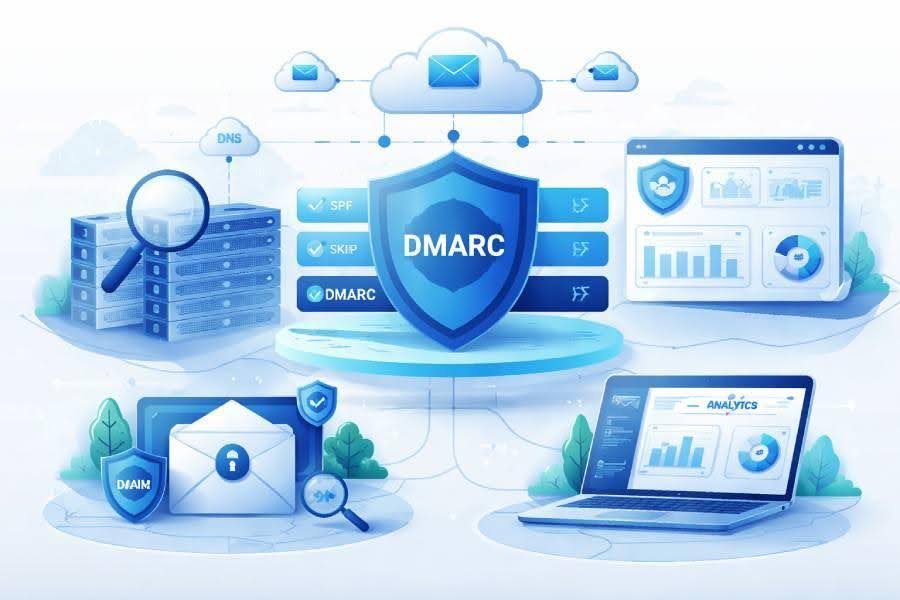
DMARC builds on SPF and DKIM to enforce email authentication and reporting. When you create a DMARC record, you declare a DMARC policy that tells mail receivers what to do when messages fail checks and how to send back data.
For cloud-sent traffic, proper DMARC alignment ensures the visible From domain aligns with either the SPF-authenticated envelope domain or the DKIM d= domain.
Alignment flavors and why they matter
- Relaxed vs strict: Use aspf/adkim to choose relaxed (r) or strict (s) alignment. Strict is tighter and can improve email security, but requires tight configuration across every subdomain and provider.
Deliverability and brand outcomes
- Good DMARC configuration improves email deliverability by proving legitimacy to filters. It reduces email abuse (spoofing, phishing) and supports reputation-building for each domain and subdomain across your email streams.
- Many mail receivers favor authenticated traffic, and a strong DMARC deployment with accurate reporting will surface misconfigurations before they harm inbox placement.
Pre-setup checklist: inventory sending domains and providers, set up SPF/DKIM per cloud service, align visible From, and prepare reporting mailboxes
Inventory your domains, subdomains, and email sources
- Map every domain and subdomain that sends email: marketing, product, support, billing, dev/test, and delegated third-party SaaS.
- Document email sources and email streams per provider (ESP, CRM, ticketing, cloud infrastructure). This drives accurate DMARC setup and reduces surprises during DMARC monitoring.
Discovering hidden senders
- Check CRM integrations, no-reply mailboxes, and functions-as-a-service that may relay mail.
- Use DMARC tools like MxToolbox SuperTool and DMARCian’s Domain Overview to find unexpected hosts.
Configure SPF and DKIM for each cloud sender
- Publish an SPF record per domain/subdomain that includes each authorized provider. Respect the 10-DNS-lookup limit in SPF.
- Enable DKIM with provider-generated keys; rotate keys periodically.
Validation utilities you’ll use
- Use MxToolbox SPF Surveyor to validate your spf record and DKIM Validator or a DKIM Inspector to verify DKIM signatures.
- DMARCian’s Detail Viewer and Source Viewer help trace which providers authenticate correctly before you publish DMARC record updates.
Align the visible From domain
- Set each provider to send with a From that matches your organizational domain or intended subdomain. This is critical for DMARC alignment across both SPF and DKIM.
Multi-ESP alignment tips
- Prefer DKIM alignment for bulk mail; it’s more resilient to forwarding than SPF.
- Keep the d= (DKIM) domain within the same organizational domain as the From to maintain alignment.
Prepare reporting mailboxes
- Create dedicated mailboxes for RUA and RUF (e.g., DMARC-aggregate@, DMARC-forensic@) and ensure they can ingest large volumes.
Reporting types you’ll request
- Aggregate reports (RUA) are xml-based aggregate reports summarizing authentication by source.
- Forensic reports (RUF) and individual failure reports provide per-message failure details; enable cautiously due to privacy and volume.
Build your first DMARC record: required/optional tags (v, p, rua/ruf, fo, aspf/adkim, pct, sp), sample records, and DNS publishing steps
Required and optional record parameters
- v: protocol version (DMARC1).
- p: DMARC policy for the organizational domain (policy none, policy quarantine, policy reject).
- rua: URI(s) for aggregate reports.
- ruf: URI(s) for forensic/individual failure reports.
- fo: failure reporting options.
- aspf/adkim: alignment modes (r or s).
- pct: percentage of mail to which the policy applies.
- sp: policy for subdomain handling.
Sample records you can adapt
- Start in monitor mode to collect DMARC data:
- v=DMARC1; p=none; rua=mailto:[email protected]; aspf=r; adkim=r; fo=0
- Gradual enforcement:
- v=DMARC1; p=quarantine; pct=25; rua=mailto:[email protected]; aspf=s; adkim=s
- Full enforcement with subdomain control and RUF:
- v=DMARC1; p=reject; sp=quarantine; rua=mailto:[email protected]; ruf=mailto:[email protected]; fo=1; aspf=s; adkim=s
Use a helper to create the DMARC record correctly
- A DMARC record generator or a DMARC record wizard from DMARCian or MxToolbox reduces syntax errors and clarifies tag meanings during DMARC setup.
DNS publishing steps
- Add a TXT record at _DMARC.yourdomain.tld in DNS with your chosen record.
- For each subdomain that needs a different policy, publish a DMARC record TXT at _DMARC.sub.example.com and leverage the sp tag for inherited defaults.
- After you publish DMARC record entries, run a DMARC check using MxToolbox DMARC Domain Checker or DMARCian tools to confirm visibility and correctness.
Tooling to verify and iterate
- MxToolbox SuperTool aggregates DNS, SPF, DKIM, and DMARC lookups in one place.
- DMARCian’s Delivery Center, along with Domain Overview and Detail Viewer, provides guided DMARC management and DMARC validation across providers.

Monitor and iterate: validate DNS, parse aggregate reports, fix misaligned sources across ESPs, and safely ramp from none → quarantine → reject
Validate DNS and perform health checks
- Confirm propagation of the DMARC record in DNS and re-run a DMARC check. Use a DMARC inspector to catch tag errors or missing record parameters.
- Verify upstream SPF and DKIM are stable using SPF Surveyor and DKIM Validator before changing the DMARC policy.
Parse and operationalize reporting
- Collect aggregate reports from mail receivers and normalize xml-based aggregate reports with MxToolbox XML to Human Converter or DMARCian’s Delivery Center.
- Feed email reporting into dashboards that segment email sources, pass/fail counts, and DMARC alignment status. Alert Central can notify on sudden failures.
Interpreting DMARC data
- Track top sending IPs/domains, pass rates by provider, and alignment reasons for failures (SPF fail, DKIM fail, misaligned From).
- Use Source Viewer to trace problematic hosts and plan fixes across ESPs.
Fix misaligned sources and tune configuration
- Update SPF includes and DKIM keys for each cloud sender; ensure From domains are correct.
- Where forwarding breaks SPF, prefer DKIM alignment; if necessary, ask providers about ARC support to preserve authentication.
Safely ramp enforcement
- Move from policy none to policy quarantine with pct gating (e.g., 10% → 50% → 100%).
- When stable across all email streams, move to policy reject. Keep ruf/individual failure reports limited or gated (fo=1 or fo=0:1) due to privacy.
- Maintain ongoing DMARC monitoring; revisit DMARC configuration whenever you add new providers.

Advanced best practices and pitfalls for multi-cloud senders: subdomain strategy, third-party SaaS, forwarding/ARC, BIMI readiness, privacy and record hygiene
Subdomain strategy and the sp tag
- Use sp to set a default DMARC policy for every subdomain, then override where needed. For example, p=reject with sp=quarantine for testing subdomains.
- For distinct workflows (e.g., marketing.example.com), publish DMARC record entries per subdomain and keep DKIM keys scoped accordingly.
Handoffs to partners
- When delegating to SaaS, provide dedicated subdomain(s) to isolate risk and simplify DMARC management and DMARC deployment.
Third-party SaaS onboarding hygiene
- Before you publish DMARC record changes, confirm the vendor supports custom Return-Path, aligned DKIM, and SPF includes without exceeding DNS lookups.
- Re-run a DMARC Domain Checker after onboarding; schedule periodic reviews with Detail Viewer to confirm ongoing alignment.
SPF and DNS constraints
- Watch SPF’s 10-lookup limit; collapse includes and remove stale vendors.
- Use DNS TTLs that balance rapid change with stability; avoid bloated TXT records.
Forwarding, ARC, and edge cases
- Forwarders can break SPF; some mail receivers will rely on DKIM or ARC. Ensure DKIM is aligned and robust.
- If a source cannot align, consider placing it on a subdomain with a relaxed interim policy while you remediate.
BIMI readiness and policy posture
- BIMI typically requires policy quarantine or policy reject at 100% for the organizational domain and strong DMARC alignment.
- Validate SVG logo and certificate requirements in parallel with DMARC configuration efforts.
Privacy, reporting, and record hygiene
- Limit forensic reports and individual failure reports to controlled mailboxes; scrub PII in processing pipelines.
- Regularly audit record parameters, retire unused ruf addresses, and ensure only necessary data is collected and retained.
Recommended tools for ongoing governance
- DMARCian: Delivery Center, Domain Overview, Detail Viewer, Source Viewer, and Alert Central streamline analysis and alerting.
- MxToolbox: SuperTool, DMARC Domain Checker, SPF Surveyor, DKIM Validator, and XML to Human Converter help validate DNS, inspect DKIM/SPF, and interpret aggregate reports.
Don’t skip creation aides
- Use a DMARC record generator or a DMARC record wizard when you create your DMARC record updates to avoid syntax drift across domains. These DMARC tools reduce human error and accelerate consistent DMARC setup at scale.
Notes you can act on today:
- Inventory every domain and subdomain, then create DMARC record entries starting at policy none.
- Publish DMARC record TXT via DNS, validate with a DMARC inspector, and process aggregate reports weekly.
- Iterate quickly, then advance to policy quarantine, and policy reject with pct controls while safeguarding email deliverability.