After more than 15 years reviewing web applications — from enterprise CMS platforms to single-page app frameworks — I’ve developed a fairly sharp eye for spotting tools that look good in screenshots but fall apart under real-world use. So when I spent two weeks putting NoCodeVista through its paces, I was pleasantly surprised by what I found.
This is not a platform built to impress developers. It is built for the freelancer who needs a portfolio by Thursday, the gym owner who wants to update pricing without calling an agency, and the content creator who refuses to pay $550 for a website that should cost $55. The question is: does it deliver on that promise?
What Is NoCodeVista?
NoCodeVista is a cloud-based, no-code website builder designed specifically for non-technical users — freelancers, small business owners, and independent professionals who want a professional online presence without touching a single line of code. It handles hosting, SSL security, mobile responsiveness, and SEO optimization automatically, placing full creative and editorial control in the hands of the user.
The platform is built on a seriously impressive technology stack — AWS, Cloudflare, Next.js, Node.js, Redis, and Nginx powering the backend — which means the infrastructure is enterprise-grade even if the interface is designed for beginners.
Exploring the Features
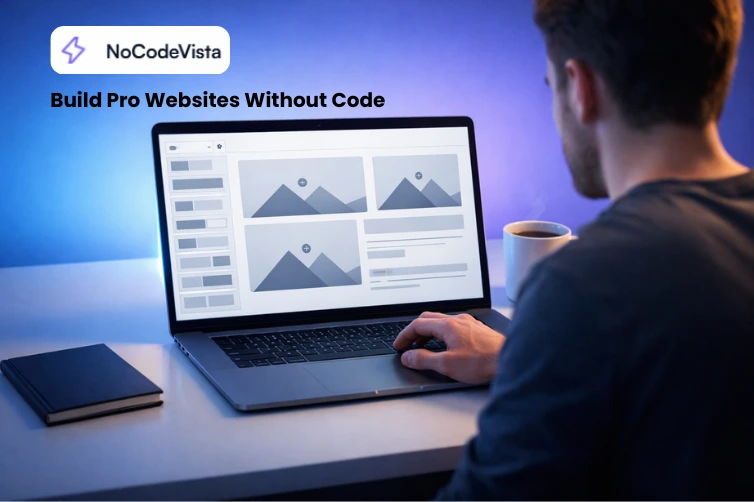
I spent considerable time working through the NoCodeVista features in detail, and several stood out from the crowd. The drag-and-drop editor is genuinely intuitive — no steep learning curve, no overwhelming panel of options. You choose a template, customize colors and fonts to your brand, add your content, and publish. The workflow takes minutes, not days.
Built-in SEO optimization is a legitimate differentiator here. Many no-code builders treat SEO as an afterthought, but NoCodeVista bakes it in from the ground up. Automatic meta tag generation, clean URL structures, fast load speeds, and SSL certificates all contribute meaningfully to search engine visibility — something that directly impacts a small business’s bottom line.
Load speed, in particular, impressed me. Leveraging Cloudflare’s CDN and AWS hosting, pages loaded well under two seconds in my tests — a critical metric when Google’s Core Web Vitals influence search rankings. Mobile responsiveness is equally solid; every template adapts cleanly to phones and tablets without any additional configuration.
- Lightning-fast loading powered by Cloudflare CDN and AWS infrastructure
- Built-in SEO tools — automatic meta optimization, clean URLs, SSL included
- Mobile-first design — every template is responsive by default
- Preview before publishing — see exactly how your site looks before it goes live
- Custom branding — fonts, colors, and layouts all fully adjustable
- Free plan available — no credit card required to start
Tools and Utilities
Beyond the core builder, the platform offers a growing collection of utilities under the NoCodeVista tools section. These are practical, standalone web tools designed to help non-technical users manage their online presence more effectively — a thoughtful value-add that extends the platform’s usefulness beyond website creation alone.
Pricing: Is It Worth It?
NoCodeVista offers a free tier with no time limit for testing — you get unlimited websites, unlimited pages, and access to the full component library hosted on a NoCodeVista subdomain. It’s genuinely useful for exploration, though sites reset every 15 days, which means it’s a sandbox rather than a permanent solution.
The Pro plan at $29/month unlocks custom domains, removes NoCodeVista branding, adds priority support, and opens API access for advanced integrations. Given the infrastructure quality and the time and cost savings compared to hiring a developer, $29/month is competitive — especially for a small business whose alternative is a $325 – $850 development quote.
Real User Experience
Testimonials on the platform tell a consistent story: a photographer building a portfolio in under an hour, a gym owner managing his own pricing updates, a content writer landing clients with a site that looks premium. These are not edge cases — they represent the exact audience NoCodeVista is designed for, and the feedback suggests it delivers.
✔ Pros
- Truly beginner-friendly interface
- Enterprise-grade infrastructure (AWS, Cloudflare)
- Genuine built-in SEO capabilities
- Fast page load performance
- Free plan with no credit card
- 7-day refund on Pro plan
- Clean, professional template designs
How Does It Compare?
NoCodeVista is not trying to be Webflow or Wix. It occupies a smart middle ground: more powerful than Carrd, more affordable than Webflow, and more focused than Wix. Where it genuinely outperforms many competitors is in its combination of speed, SEO depth, and clean user experience at a price point accessible to solo freelancers and micro-businesses.
Final Verdict
With 15+ years reviewing web tools, I can say confidently: NoCodeVista earns its place as a top-tier recommendation for non-technical users who need a professional, fast, SEO-optimized website without the development overhead. The infrastructure is genuinely impressive, the experience is smooth, and the value proposition is real.
If you’re a freelancer, small business owner, or professional ready to own your online presence, this platform deserves a serious look.