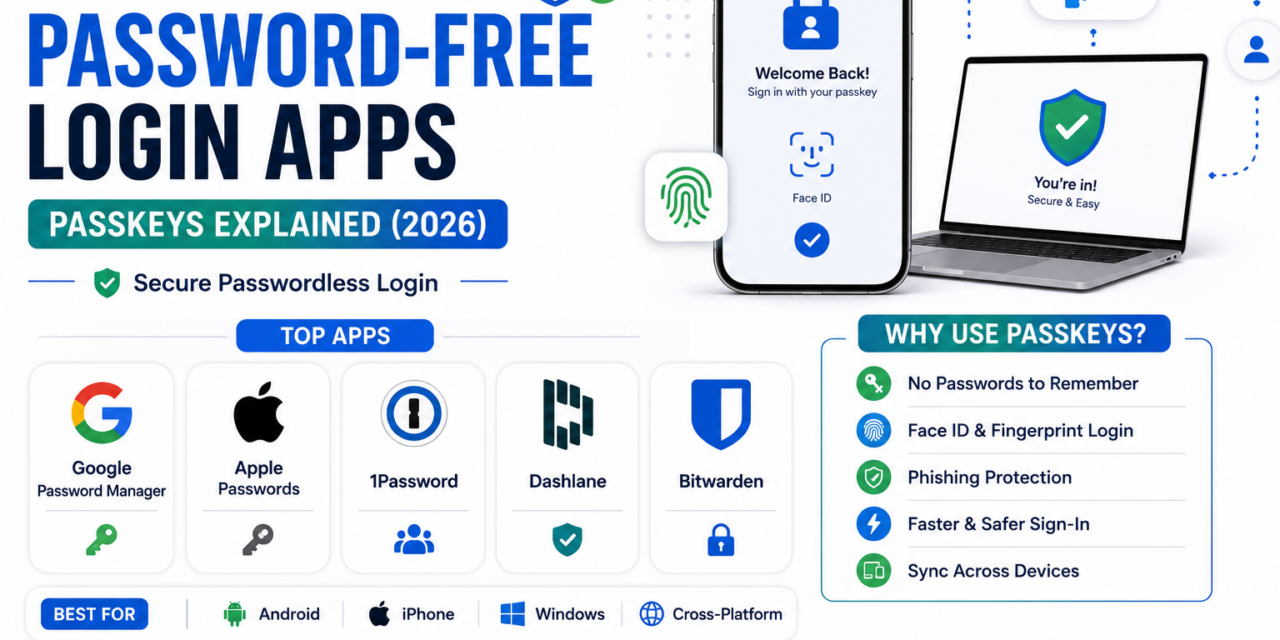
Passwords have always been a genuinely weak link in online security, reused across accounts, easily phished, and constantly forgotten, which is exactly the problem passkeys were built to solve. Rather than typing a memorized string of characters, passkeys let you log in using your device’s built-in fingerprint, face scan, or PIN, with the actual cryptographic verification happening invisibly in the background. Adoption has accelerated considerably as more major platforms roll out full support, making 2026 a genuinely good time to actually start using them instead of just hearing about them. The transition period can feel a little confusing at first, since most people will be juggling both passwords and passkeys simultaneously for a while. Here’s how passkeys work and which apps make setting them up genuinely painless.
Google Password Manager
Google’s built-in password manager now handles passkey creation and sync seamlessly across Android and Chrome, making it the easiest starting point for anyone already living inside Google’s ecosystem who wants passkeys working without installing anything extra.
Apple Passwords
Apple’s dedicated Passwords app, split out from Settings, manages passkeys alongside traditional passwords with iCloud Keychain sync across iPhone, iPad, and Mac, giving Apple users a genuinely unified passwordless experience across their devices.
1Password
1Password extends passkey support beyond a single ecosystem, syncing across Windows, Android, iOS, and browsers regardless of device brand, which matters genuinely for households or teams using a mix of Apple and non-Apple devices.
Dashlane
Dashlane offers genuinely solid cross-platform passkey management alongside traditional password storage, appealing to users who want a single app handling the transition period while some sites still require passwords and others already support passkeys.
Bitwarden
Bitwarden brings passkey support to its open-source, security-focused password manager, appealing specifically to privacy-conscious users who want passwordless login without depending on a single large tech company’s ecosystem.
How Passkeys Actually Work, in Plain Terms
A passkey is a pair of cryptographic keys, one stored securely on your device and one held by the website or app you’re logging into, and logging in simply proves you have the matching private key using your fingerprint, face, or device PIN rather than ever transmitting a password over the internet. This design makes passkeys genuinely resistant to phishing, since there’s no password to trick someone into typing on a fake login page, and resistant to database breaches, since even if a company’s servers are hacked, there’s no password database to steal in the first place. The catch is that passkeys are tied to your device or password manager, so setting up sync across multiple devices matters considerably more than it did with passwords you could simply memorize and type anywhere.
Passkeys aren’t fully universal yet, plenty of smaller sites still rely purely on traditional passwords, but major platforms including Google, Apple, Amazon, and a growing list of banks now support them, and the security benefit is genuinely significant enough to start adopting them wherever available. Start by setting up a passkey on your most important accounts, email and banking specifically, using whichever password manager already fits your existing device ecosystem, and let broader adoption catch up gradually rather than waiting for universal support before getting started. Keep your old password as a backup recovery option where the service allows it, at least until passkey support becomes genuinely universal across the sites you use daily. Losing access to your password manager or device without a proper recovery method set up remains the biggest practical risk worth planning for ahead of time.