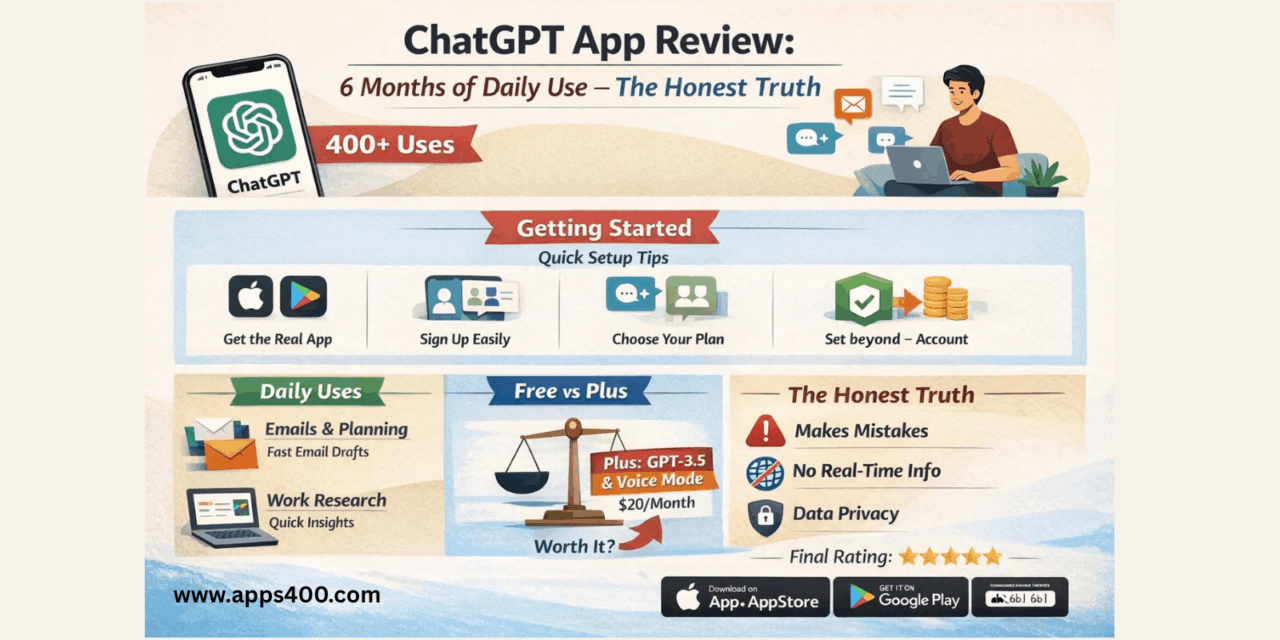
Why I Downloaded ChatGPT (And Almost Deleted It)
Three months ago, my colleague wouldn’t stop talking about ChatGPT. “It writes my emails,” she said. “It helps me learn coding.” I rolled my eyes—another overhyped tech fad, right?
But curiosity won. I downloaded it, asked it to write a professional email declining a meeting, and… it was actually good. Fast forward to today, and I’ve used ChatGPT over 400 times. This isn’t a promotional review—it’s my real experience with what’s become the #1 downloaded app in the United States.
Let me show you exactly how I use it, what works, what doesn’t, and whether you should download it.
Getting Started: The 5-Minute Setup
Step 1: Download the Real App (Not the Fakes)
Here’s a critical warning: there are DOZENS of fake ChatGPT apps charging $10-30/week. The real ChatGPT is FREE.
For iPhone users:
- Open App Store
- Search “ChatGPT” by OpenAI
- Look for the green icon with white chat bubble
- Download size: ~65MB
For Android users:
- Open Google Play Store
- Search “ChatGPT OpenAI”
- Verify it’s published by OpenAI
- Free download
The official app links are available on the OpenAI website. Always verify before downloading.
Step 2: Create Your Account (2 Minutes)
Open the app and you’ll see three signup options:
- Email – Most flexible
- Google – Fastest (what I use)
- Apple – Best for privacy
I chose Google because it syncs my conversation history across my phone, iPad, and laptop seamlessly.
Step 3: Choose Your Plan
The app works immediately with the free version:
- ChatGPT Free – GPT-3.5 model, unlimited messages
- ChatGPT Plus – $19.99/month, GPT-4o access, advanced voice mode, image generation
- ChatGPT Pro – $200/month (for power users)
I used free for 3 weeks before upgrading to Plus. I’ll explain whether it’s worth it later.
How I Actually Use ChatGPT Every Day
Morning: Email & Planning (7:00 AM)
My first ChatGPT use happens before coffee. I had to decline a speaking invitation professionally without burning bridges.
What I typed:
“Write a polite email declining a speaking invitation due to scheduling conflicts. Keep it under 100 words. Tone: professional but warm.”
Result: In 4 seconds, I got a perfectly worded email that I copy-pasted with one minor edit. This alone saves me 10-15 minutes daily on email drafting.
Pro Tip: Always specify the tone you want. Adding “Tone: professional” or “Tone: casual and friendly” dramatically improves outputs.
Midday: Work Research (11:00 AM – 2:00 PM)
I needed competitive analysis for a client presentation. Instead of spending 2 hours on Google:
My process:
- Asked: “What are the top 5 project management tools for remote teams in 2026?”
- Then: “Compare Asana vs Monday.com for teams under 20 people”
- Finally: “Create a pros/cons table”
Total time: 5 minutes versus 2 hours. The quality wasn’t perfect, but it gave me a solid starting framework.
Afternoon: Learning & Problem-Solving
Here’s where ChatGPT surprised me most. I manage a website but I’m not a developer. When CSS code broke my site layout:
What I did:
- Took a screenshot of the broken page
- Tapped the camera icon in ChatGPT
- Uploaded the screenshot
- Pasted my CSS code
- Asked: “Why isn’t this centering correctly?”
It spotted the error immediately (missing flexbox property) and explained the fix. This has saved me hundreds in developer fees over 3 months.
Evening: Learning Spanish (7:00 PM)
This is my favorite feature. I’ve been learning Spanish using ChatGPT as my free tutor.
My routine:
- Tap the voice button (microphone icon)
- Say: “Let’s practice conversational Spanish for 10 minutes”
- Have actual conversations in Spanish
The Advanced Voice Mode (Plus feature only) is incredible. It sounds like talking to a real person, catches my pronunciation mistakes, and corrects me naturally. I’ve gone from barely speaking to holding basic conversations in 3 months.
Cost comparison:
- Spanish tutor: $40-60/hour
- ChatGPT Plus: $20/month (unlimited practice)
For language learning alone, Plus pays for itself.
Features Most People Don’t Know About
1. Custom Instructions (Game-Changer)
Go to: Settings → Personalization → Custom Instructions
You can tell ChatGPT about yourself ONCE, and it remembers for every conversation.
What I set:
- “I’m a marketing consultant for tech companies”
- “I prefer bullet points over long paragraphs”
- “Use Pacific Time for any time references”
Now every response is automatically tailored to me. This single feature improved my experience 10x.
2. Image Analysis (Seriously Underrated)
ChatGPT can “see” and understand images. Practical uses I’ve discovered:
- Restaurant menus in foreign languages – Took photo, it translated and explained dishes
- Plant identification – Photographed a dying plant, got care instructions
- Math homework help – My nephew photographed his algebra problem, ChatGPT explained the solution step-by-step
- Receipt organization – Snapped receipts, asked it to extract dates and amounts
How to use:
- Tap camera icon
- Take photo or choose from library
- Ask your question about the image
3. Voice Conversations (Two Different Modes)
There are actually TWO voice features most people confuse:
Standard Voice Input (Free):
- You speak → it types → you hit send
- Basically voice-to-text
Advanced Voice Mode (Plus only):
- Real-time conversation like calling a person
- It can interrupt naturally
- Incredibly human-like responses
- Different “voices” you can choose from
The advanced version is the most impressive AI feature I’ve ever used. It’s eerie how natural it sounds.
4. GPT Store (Apps Within the App)
Tap Explore GPTs to find specialized AI assistants:
- Sous Chef – Better at recipes than regular ChatGPT
- Canva – Creates social media graphics
- Travel Guide – Specialized in trip planning
- Logo Creator – Designs logos
These are like mini-apps built by other users and companies. I use Sous Chef weekly for meal planning.
My Prompt Cheat Sheet (Actually Works)
After 3 months of trial and error, here are formulas that consistently give great results:
For Writing:
“Write a [type] about [topic]
Tone: [professional/casual/funny]
Length: [word count]
Include: [specific points]”
For Learning:
“Explain [concept] like I’m a beginner
Use an analogy involving [something familiar]
Then quiz me with 3 questions”
For Problem-Solving:
“I’m trying to [goal] but facing [problem]
My constraints: [list them]
Give me 3 solutions ranked by easiest first”
The key: Be specific. Vague questions get vague answers.
Free vs Plus: Is $20/Month Worth It?
I debated this for weeks. Here’s my honest breakdown:
Stick with Free if:
- You use it casually (less than 5 times daily)
- You don’t need image generation
- You’re fine with slower responses during peak hours
- You don’t want Advanced Voice Mode
- GPT-3.5 meets your needs (it’s still pretty good)
Upgrade to Plus if:
- You use it for work (time savings = ROI)
- You need better reasoning (GPT-4o is noticeably smarter)
- You want Advanced Voice Mode (worth it alone for learning)
- You generate images regularly (DALL-E 3 included)
- You use it 10+ times daily
My verdict: I pay for Plus and consider it the best $20 I spend monthly. It replaced:
- Grammarly ($30/month)
- Some Spanish lessons ($120/month)
- Various productivity tools
Net result: I’m actually saving $100+ monthly while being more productive.
What ChatGPT Does Poorly (The Honest Part)
Problem #1: It Confidently Makes Things Up
ChatGPT sometimes “hallucinates”—provides wrong information with complete confidence.
Real example: I asked about a specific regulation. It cited a law that doesn’t exist.
My solution: For factual information, I always verify important facts through search engines or trusted sources like Apps400 for app-related information.
Problem #2: No Real-Time Information
The AI’s knowledge has a cutoff date (April 2024 for GPT-4o). It doesn’t know:
- Today’s news
- Current stock prices
- Recent events
- Latest app updates
Workaround: For current information, I use it to understand concepts, then verify current details separately.
Problem #3: Can Be Overly Cautious
Ask anything remotely controversial, and you get fence-sitting answers loaded with disclaimers.
Example: I asked for a strong debate argument, and it gave me “both sides” when I needed one perspective.
Fix: Be more direct: “Argue FOR this position strongly. I’ll research counterarguments separately.”
Problem #4: Message Limits (Even with Plus)
GPT-4o has usage limits—around 80 messages per 3 hours for Plus users. Hit the limit, and you’re bumped to GPT-3.5 temporarily.
Solution: Save GPT-4o for complex tasks. Use GPT-3.5 for simple questions.
Privacy: What You Should Know
OpenAI’s data policy:
They collect:
- Your conversations
- Account info
- Usage patterns
They use it for:
- Improving the AI
- Training the model
- Reviewing flagged content
How to protect yourself:
Turn off chat history: Settings → Data Controls → Toggle “Chat History & Training” OFF
My approach: I keep history ON for convenience but never share:
- Personal identifying details
- Financial information
- Confidential work information
- Health details
Think of it like email—don’t write anything you wouldn’t be comfortable with a human potentially reviewing.
Comparing ChatGPT to Alternatives
I’ve tested all major AI assistants:
ChatGPT vs Google Gemini:
- Gemini wins: Better Google Workspace integration, more current info
- ChatGPT wins: Superior conversation flow, better writing, unmatched voice mode
ChatGPT vs Microsoft Copilot:
- Copilot wins: Integrated with Office apps, free GPT-4 access
- ChatGPT wins: Better standalone app, more customization, voice features
My usage: ChatGPT for 90% of tasks, others for specific integrations.
Real Results After 3 Months
Let me quantify the impact:
Time saved:
- Email drafting: ~4 hours/week
- Research: ~3 hours/week
- Learning: ~2 hours/week
- Total: ~9 hours weekly = 36 hours monthly
Money saved/earned:
- Canceled subscriptions: $150/month
- Freelancer cost reduction: ~$200/month
- Minus ChatGPT Plus: -$20/month
- Net: +$330/month
Skills improved:
- Spanish: Beginner → Intermediate
- Writing: 50% faster
- Problem-solving: More systematic approach
Common Mistakes I Made (Learn from Me)
Mistake #1: Treating it like Google search
Lesson: It’s better for “how to” and “explain” questions than “what is the current” questions
Mistake #2: Accepting first answers as perfect
Lesson: Always iterate. Say “make it more specific” or “try a different approach”
Mistake #3: Not being specific enough
Lesson: Compare these:
- Bad: “Write a blog post”
- Good: “Write a 500-word blog post about mobile app security for non-technical business owners”
Mistake #4: Forgetting it makes mistakes
Lesson: Verify facts, especially statistics and dates
Should You Download ChatGPT?
Download it if:
- You want to save time on writing, research, or learning
- You’re comfortable with occasional inaccuracies
- You value versatility over perfection
- You’re willing to learn effective prompting
- You can verify important information separately
Skip it if:
- You need 100% factual accuracy without verification
- You work with highly confidential information
- You’re uncomfortable with AI technology
- You prefer traditional search engines
Final Verdict: 4.5/5 Stars
Pros:
- Genuinely useful for daily tasks
- Free version is surprisingly capable
- Advanced Voice Mode is incredible (Plus)
- Constantly improving with updates
- Versatile across many use cases
Cons:
- Sometimes provides incorrect information
- No real-time internet access
- Message limits even for paid users
- Monthly cost for best features ($20)
- Requires learning effective prompting
Bottom Line: ChatGPT has become as essential to me as my web browser. It’s not perfect—it makes mistakes, has limitations, and occasionally frustrates me. But it saves me 10+ hours weekly, has improved my skills, and costs less than a couple of coffee shop visits monthly.
Start with the free version. Use it for 2 weeks. If you find yourself using it daily, Plus is absolutely worth $20/month.
The technology is only getting better, and early adopters are gaining significant advantages in productivity and learning. Whether you’re a skeptic or enthusiast, ChatGPT deserves a test drive.
Download Links:
- Official ChatGPT website: ChatGPT.Com
- iOS App Store: Search “ChatGPT by OpenAI”

- Google Play Store: Search “ChatGPT OpenAI”

Related Reading:
- Best Mobile Apps 2025 on Apps400
- AI-Powered Apps Guide
- Mobile App Development Trends 2026