Your phone’s camera is probably the best camera you own, but the shot is only half the story. The other half happens in the edit: fixing a crooked horizon, pulling detail out of a dark sky, erasing a stranger who wandered into the frame, or giving a whole set of travel photos one consistent look.
The good news is that 2026 is the strongest year yet for mobile photo editing. Google rebuilt Snapseed from the ground up, Adobe now ships a real Photoshop app for phones, and AI tools that can remove objects or follow plain-language instructions are built into apps you may already have.
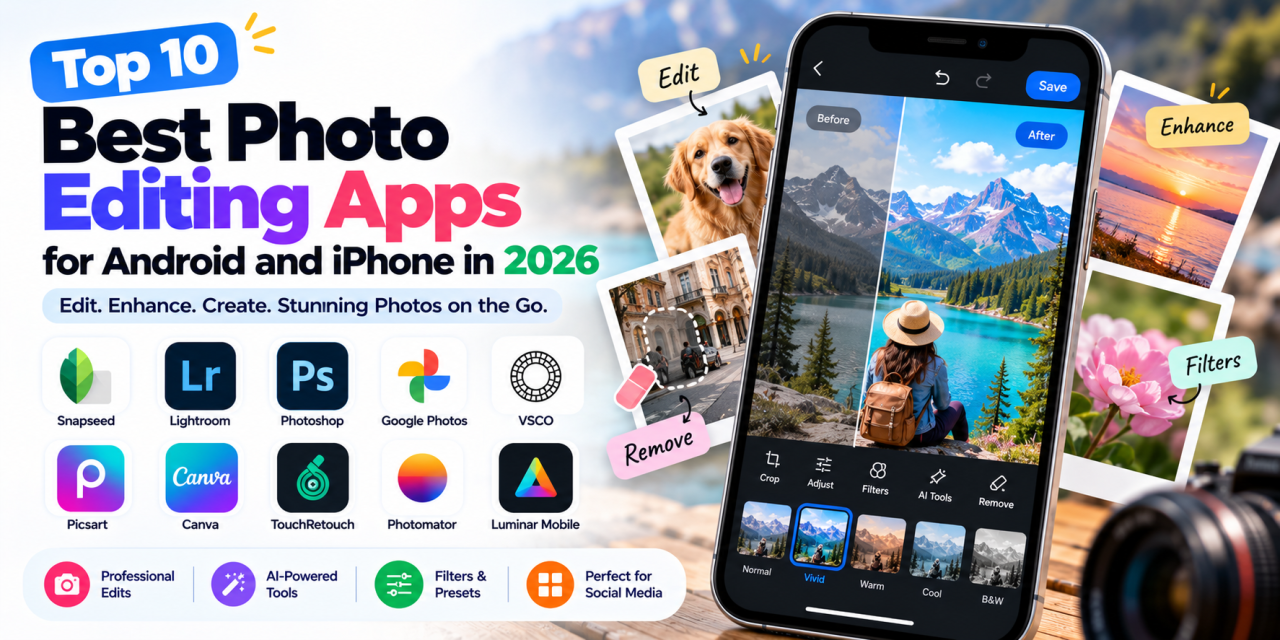
Here are the best photo editing apps of 2026 for Android and iPhone.
1. Snapseed — Best Free Photo Editor
Platforms: Android, iOS |
Price: Free, no subscriptions or in-app purchases
Snapseed has been a favourite for more than a decade, and Google finally gave it the overhaul it deserved. The redesign first landed on iPhone as Snapseed 3.0, and Android users got the same modern experience with Snapseed 4.0 in 2026.
The update brings a cleaner editing interface, film-inspired filters, a built-in camera, and effects such as halation and dehaze. Core tools include curves, selective adjustments, healing, perspective correction and non-destructive editing.
Why it stands out: You get professional-grade control without paying a cent or seeing an ad. RAW support is still only partial on Android, so heavy RAW shooters may want Lightroom alongside it.
Source:
PetaPixel
2. Adobe Lightroom Mobile — Best for Serious Photographers
Platforms: Android, iOS |
Price: Free tier; premium features through an Adobe plan
Lightroom is the industry-standard tool for colour grading and RAW editing, and the mobile app puts much of that power in your pocket. The free version supports RAW and JPEG editing, while paid plans add cloud sync and premium AI tools.
Why it stands out: If you shoot a lot of photos and want a consistent look across all of them, Lightroom’s presets and sync are hard to beat.
Source:
Softwr
3. Adobe Photoshop (Mobile) — Best for Layers and Compositing
Platforms: Android, iOS |
Price: Free core features; premium plan
Adobe launched a proper Photoshop app for iPhone in early 2025 and brought it to Android later that year. It is designed for touchscreens while retaining layers, masks, precise selections and other advanced editing tools.
The app also includes generative AI features and Adobe Stock assets, while premium plans unlock additional editing tools.
Why it stands out: It is the strongest option on this list for true multi-layer compositing on a phone.
Source:
PetaPixel
4. Google Photos — Best AI Editing for Everyday Users
Platforms: Android, iOS |
Price: Free; some AI features depend on region and device
Many people already have one of the most capable AI editors on their phone without knowing it. Google Photos includes AI-powered editing features that can make adjustments and remove unwanted elements from images.
Why it stands out: There is almost no learning curve, making it ideal for quick fixes to family and travel photos.
Sources:
9to5Google
5. VSCO — Best for Filters and Film Looks
Platforms: Android, iOS |
Price: Free Starter plan; paid plans available
VSCO built its reputation on subtle, film-inspired presets, and they remain the main reason to use it. The free plan provides basic editing and a selection of presets, while paid plans unlock more presets, advanced editing and additional tools.
Why it stands out: It is a strong choice for anyone who wants a consistent film-like aesthetic for social media or a portfolio.
Source:
VSCO
6. Picsart — Best for Social Media Creators
Platforms: Android, iOS, web |
Price: Free plan; paid tiers available
Picsart is less focused on traditional colour correction and more focused on creative, shareable edits. It combines photo editing with templates, stickers, fonts, effects and AI-powered tools.
Why it stands out: It is a useful all-in-one option for thumbnails, collages, stories, memes and other social content.
Source:
Toolradar
7. Canva — Best for Adding Text and Graphics to Photos
Platforms: Android, iOS, web |
Price: Free; Canva Pro for premium content and AI tools
Canva is not a traditional photo editor, but it can be extremely useful for small businesses, marketers and creators. You can apply basic edits, remove backgrounds and place images directly into templates for social posts, posters and presentations.
Why it stands out: Editing, design and publishing are combined in one platform.
Source:
Canva
8. TouchRetouch — Best for Removing Unwanted Objects
Platforms: Android, iOS |
Price: Paid app; pricing varies by platform and region
TouchRetouch focuses on removing unwanted objects from photos. It is particularly useful for power lines, photobombers, blemishes and other distractions.
Why it stands out: Its focused approach makes it a useful companion to a broader photo editor.
9. Photomator — Best Pro Editor for iPhone
Platforms: iPhone, iPad, Mac |
Price: Subscription
Photomator is a powerful editor built around Apple’s ecosystem. It supports RAW editing, AI-powered adjustments and batch editing while working directly with the Photos library and iCloud Drive.
Why it stands out: It offers deep Apple ecosystem integration and strong RAW handling.
Sources:
Threads and
TechCrunch
10. Luminar Mobile — Best One-Tap AI Enhancements
Platforms: Android, iOS |
Price: Subscription; free trial available
Luminar Mobile focuses on AI-driven improvements that can automate many manual editing steps. Sky enhancement, portrait tools and smart presets can produce noticeable changes quickly.
Why it stands out: It is a good option for users who want dramatic results without learning advanced editing workflows.
How to Choose the Right Photo Editing App
With so many good options, the best app depends on how you work.
- Pick a free app if you edit casually: Snapseed and Google Photos cover many everyday editing needs.
- Pick Lightroom or Photomator if you shoot RAW: Both are designed for more advanced photo workflows.
- Pick Photoshop if you need layers: Multiple-image composites and detailed masking are where Photoshop excels.
- Pick VSCO, Picsart or Canva for social content: These apps prioritise looks, templates and fast sharing.
Final Verdict
There has never been a better time to edit photos on your phone. If you only install one app, Snapseed is an excellent starting point because it combines strong editing controls with no subscription.Pair it with Google Photos for quick AI fixes, and step up to Lightroom or Photoshop when your editing needs become more advanced.Which photo editing app do you use the most? Explore more app reviews and top-10 lists on
Apps400.Prices and features were checked at the time of writing (October 2026) and may vary by country, platform and promotional offers. Verify current pricing and availability on the official product page before publishing.
Sources
- New Snapseed arrives on Android –PetaPixel
- Photoshop on Android –PetaPixel
- Photoshop mobile features –Photutorial
- VSCO pricing –VSCO
- Picsart pricing –Toolradar
- Lightroom Mobile –Softwr
- Google Photos “Help me edit” –9to5Google
- Photomator pricing –Threads
- Apple Creator Studio –TechCrunch
- Best photo editing apps 2026 –iGeeksBlog