Seven months ago, I used the free Reminders app on my iPhone. It worked fine until I had 47 tasks scattered across random lists with no organization. I’d forget important items, miss deadlines, and feel overwhelmed. Then I bought Things 3 for $49.99, and my task management transformed completely.
This review comes from someone who’s processed 500+ tasks, managed 12 projects, and hasn’t missed a deadline in 7 months. Here’s whether Things 3 justifies its premium price tag.
What Is Things 3?
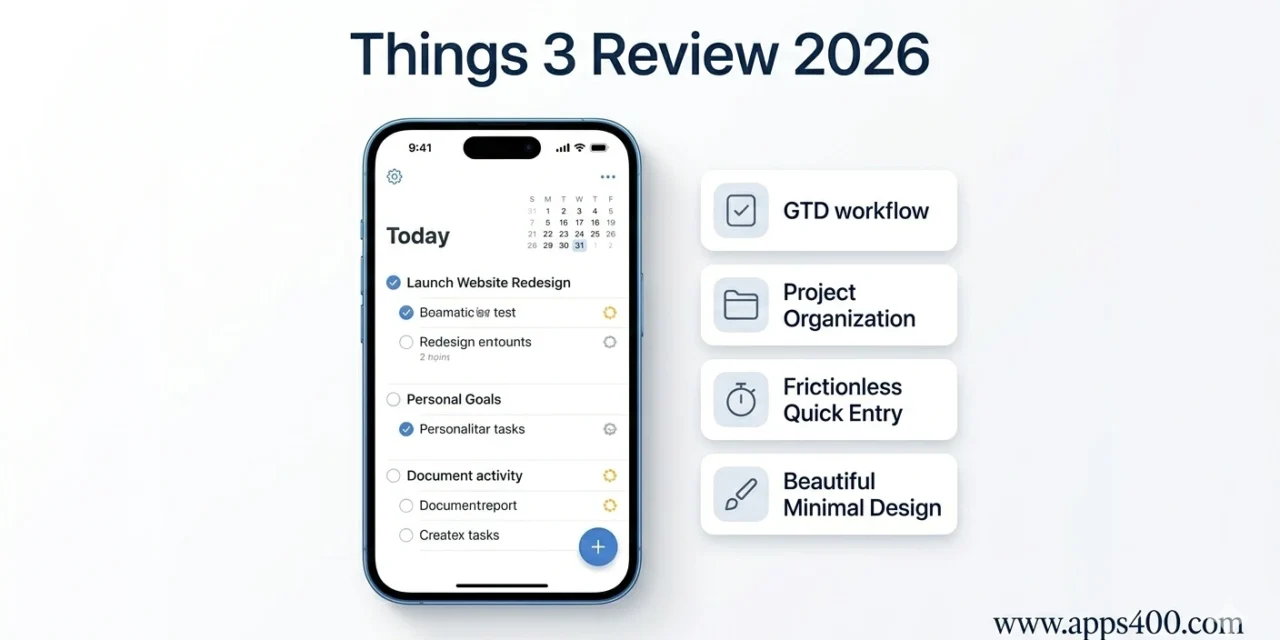
Things 3 is a task management app for iPhone, iPad, and Mac following GTD (Getting Things Done) principles. It combines simple task capture, project organization, scheduling, and today/evening review in an interface so beautiful it won an Apple Design Award.
Key features: Quick entry from anywhere, areas for life categories (Work, Personal, Family), projects with sub-tasks, tags for filtering, today/upcoming views, and iCloud sync across Apple devices.
Download from App Store (separate purchases for each platform): iPhone ($9.99), iPad ($19.99), Mac ($49.99). I bought all three for $79.97 total. No subscription.
Pricing: The Controversial Part
Platform-specific pricing:
- Things for iPhone: $9.99
- Things for iPad: $19.99
- Things for Mac: $49.99
- Total for all platforms: $79.97
The controversy: You must buy each version separately. Own an iPhone and Mac? That’s $59.98.
My take: It’s a one-time purchase (no subscription), and after 7 months of daily use, the value is clear. But $80 upfront is steep.
Alternatives for budget-conscious:
- Todoist: Free with premium at $4/month
- Apple Reminders: Free, pre-installed
- Microsoft To Do: Free
Things 3 must justify being 20x the price of subscriptions. Let me explain how it does (and doesn’t).
The Things 3 Workflow
Quick Capture:
The genius of Things 3 is frictionless task entry. Press and hold the app icon → “Quick Entry” → Type task → Done. Takes 3 seconds.
Better: Use Siri. “Hey Siri, remind me in Things to email Sarah about the project.” Task appears in Inbox.
Best: Use the Mac Menu Bar shortcut (Ctrl+Space). Type task without opening the full app.
I capture ideas the moment they occur. No friction means no lost thoughts.
Organization Structure:
Things 3 organizes tasks through:
Inbox: Everything starts here (brain dump location) Today: Tasks you’re doing today Upcoming: Scheduled for future dates Anytime: Tasks without specific dates Someday: Ideas for later (maybe never) Projects: Multi-step tasks grouped together Areas: Life categories (Work, Personal, Health, Finance)
My morning routine:
- Review Inbox (5-10 tasks from yesterday)
- Drag important items to Today
- Schedule others to Upcoming
- Archive/delete irrelevant tasks
- Start working through Today list
Takes 5 minutes. Sets my entire day’s focus.
Projects and Sub-Tasks:
Projects hold related tasks. Example: “Launch Website Redesign” project contains:
- Research competitors
- Wireframe homepage
- Design mockups
- Developer handoff
- Write copy
- QA testing
Each is a checkable task. Completing all completes the project.
Sub-tasks (called “checklist items”) break tasks further: Task: “Write blog post”
- Research topic
- Outline
- First draft
- Edit
- Publish
Things 3 shows progress: “3 of 5 completed.”
Tags for Filtering:
Tag tasks by context, energy level, or type:
- #calls (phone calls to make)
- #emails (correspondence)
- #quick (15 minutes or less)
- #deep-work (requires focus)
Filter Today view by #quick when I have 30 minutes before a meeting. See only fast-win tasks.
What Makes Things 3 Special
- Design and Feel
Things 3 is gorgeous. Every animation, transition, and interaction feels smooth. Completing tasks has satisfying visual feedback (checkmark animation, task fades away).
Does design matter for productivity? Surprisingly, yes. I actually enjoy using Things 3, so I check it more often. Friction-free experience means I maintain the system.
Compare to Todoist: functional but utilitarian. Things 3 makes task management pleasant.
- No Overwhelming Features
Things 3 intentionally limits features. No priority levels, no Eisenhower matrix, no dependency chains, no time tracking.
Weakness for power users, strength for everyone else. I don’t waste time organizing my organization system. I add tasks, schedule them, do them.
For complex project management, check Apps400’s productivity apps guide for alternatives.
- Today and This Evening
The “Today” view shows morning tasks. At 6 PM, “This Evening” appears with evening-specific tasks.
I schedule:
- Morning: Deep work, important calls, writing
- Evening: Emails, admin tasks, planning tomorrow
Separating morning/evening doubled my productivity. Morning me tackles hard tasks. Evening me handles busywork.
- Calendar Integration
Things 3 shows calendar events alongside tasks. I see: “Meeting at 2 PM, call Sarah at 3 PM, finish report (task).”
One view for time-based and task-based commitments.
What Things 3 Does Poorly
Problem #1: Apple Ecosystem Only
No Windows, no Android, no web app. Own a PC or Android phone? Things 3 is unusable.
This is a dealbreaker for cross-platform users.
Problem #2: No Collaboration
Things 3 is personal productivity only. You can’t share projects with teammates or assign tasks to others.
For team projects, use Asana, Trello, or Monday.com instead.
Problem #3: No Recurring Task Flexibility
Recurring tasks exist but are basic. “Every Monday” works. “Every 2nd and 4th Tuesday” doesn’t.
For complex recurring tasks, I use calendar events instead.
Problem #4: Expensive for Students/Budget Users
$10-80 is prohibitive for students or casual users. Free alternatives (Todoist, Microsoft To Do, Apple Reminders) offer 80% of functionality.
Things 3 vs Competitors
Things 3 vs Todoist:
- Todoist wins: Cross-platform, collaboration, karma system, more powerful
- Things 3 wins: Design, one-time payment (vs subscription), Apple integration
Things 3 vs Apple Reminders:
- Reminders wins: Free, good enough for most people
- Things 3 wins: Project organization, better scheduling, design
Things 3 vs OmniFocus:
- OmniFocus wins: Power user features, review system, perspective filtering
- Things 3 wins: Simplicity, design, easier learning curve, better price
My verdict: For Apple-only users wanting elegant simplicity, Things 3 wins. For power users or cross-platform needs, alternatives are better.
My 7-Month Results
Tasks completed: 512 Projects finished: 12 (website launch, client deliverables, personal goals) Deadlines missed: 0 (compared to 3-5 monthly before Things 3) Time saved: ~30 minutes daily (better organization, less mental overhead)
Most valuable benefit: Mental clarity. Everything lives in Things 3. My brain isn’t trying to remember 50 tasks.
Should You Buy Things 3?
Buy Things 3 if:
✅ You use iPhone/iPad/Mac exclusively
✅ You manage 20+ tasks weekly
✅ You want beautiful, simple task management
✅ You prefer one-time payments over subscriptions
✅ You value design and user experience
Skip Things 3 if:
❌ You use Windows or Android
❌ You need team collaboration
❌ You manage fewer than 10 tasks weekly (use free apps)
❌ You want power-user features (use OmniFocus)
❌ You’re on a tight budget
My Rating: 4.4/5 Stars
Pros:
- Most beautiful task manager available
- Excellent Apple ecosystem integration
- One-time purchase (no subscription)
- Simple yet powerful
- Quick capture is frictionless
- Today/Evening split is brilliant
Cons:
- Expensive ($80 for all platforms)
- Apple-only (no cross-platform)
- No collaboration features
- Limited recurring task options
- Might be overkill for casual users
Bottom Line: Things 3 is the best task manager for Apple users who value simplicity and design. The $50-80 investment pays off if you manage complex projects and want mental clarity.
Seven months in, Things 3 has become as essential as my calendar. It’s not for everyone—power users want more features, budget users should try free alternatives, cross-platform users can’t even use it.
But for Apple-loyal productivity enthusiasts, Things 3 is worth every penny. Start with iPhone version ($10). If you use it daily for a month, buy the other platforms.