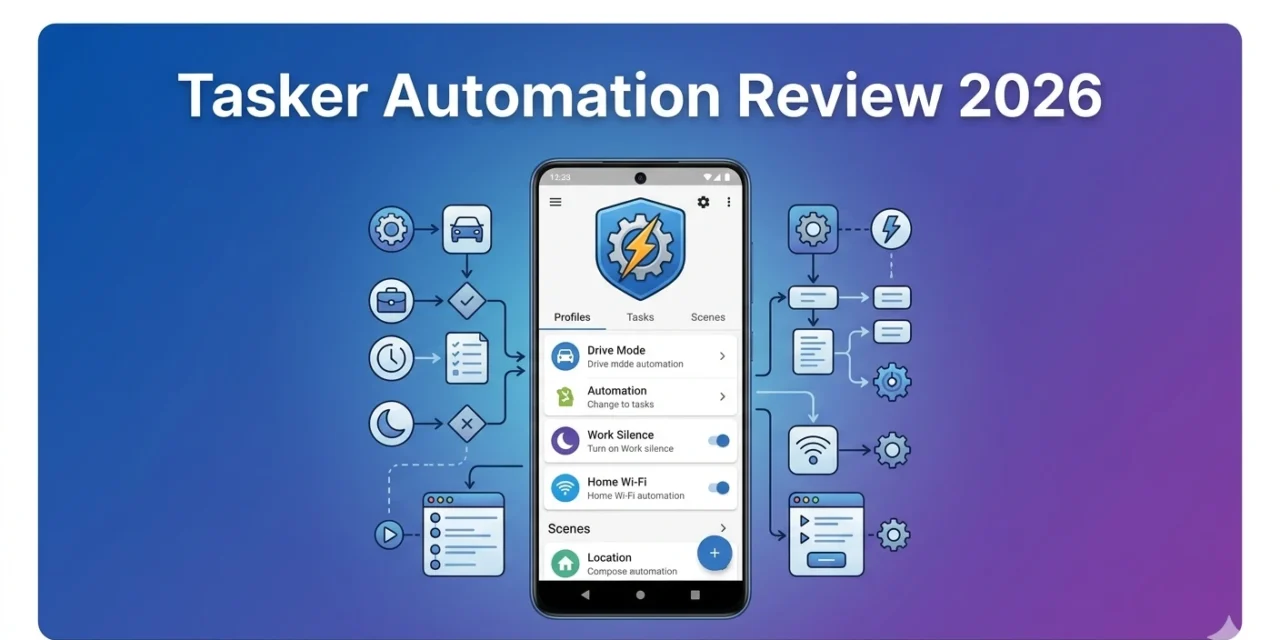
Four months ago, my phone was reactive—I told it what to do, and it obeyed. Now my phone is proactive—it knows when I arrive at work, silences automatically during meetings, reads texts while driving, and adjusts brightness based on time and location. I didn’t upgrade my phone. I installed Tasker.
This review comes from someone who started with zero automation knowledge and now runs 30+ automated tasks making life measurably easier. Here’s everything you need to know about Tasker.
What Is Tasker?
Tasker is an Android automation app that triggers actions based on contexts (conditions). If X happens, do Y automatically.
Examples:
- When I connect to car Bluetooth → Open Google Maps, read texts aloud
- When I arrive at gym → Enable Do Not Disturb, open workout app
- When battery drops below 20% → Enable battery saver, dim screen
- When I plug in at night → Silence phone, set alarm for 7 AM
Infinite possibilities limited only by imagination (and Android permissions).
Download from Google Play Store: Tasker ($3.49 one-time purchase). Requires Android 6.0+. No subscription, no ads.
Getting Started: Your First Automation
Installation (3 minutes):
- Buy Tasker from Play Store ($3.49)
- Grant necessary permissions (storage, accessibility, location)
- Complete tutorial (5 minutes)
Warning: Tasker’s interface looks intimidating. Gray buttons everywhere, technical terms, zero hand-holding. This isn’t Canva’s friendly design. Tasker is built for power users who’ll invest time learning.
My first automation (10 minutes):
Goal: Silence phone when I flip it face-down.
Setup:
- Create Profile → Event → Sensor → Orientation (Face Down)
- Add Task → Audio → Ringer Volume (set to 0)
- Add Exit Task → Audio → Ringer Volume (restore previous level)
Now when I flip my phone face-down during meals, it silences automatically. Flip it back up, volume restores.
Simple automation. Permanent quality-of-life improvement.
Real Automations I Use Daily
- Driving Mode (Auto-Activates)
Triggers: Connected to car Bluetooth OR moving 20+ mph Actions:
- Open Google Maps
- Enable Do Not Disturb
- Read incoming texts aloud (using Android TTS)
- Auto-reply: “Driving, will respond soon”
- Brightness to 100%
I start my car, and my phone becomes a smart driving assistant. Zero manual setup.
- Work Mode (Location-Based)
Trigger: Arrive at office (GPS geofence) Actions:
- Silence phone
- Turn off WiFi (use work WiFi instead)
- Open work calendar
- Set wallpaper to “Work Mode” reminder
Exit Actions: When I leave office, restore normal settings.
My phone knows when I’m working without me thinking about it.
- Sleep Routine (Time + Charging)
Triggers: 10 PM AND phone charging Actions:
- Enable Do Not Disturb (except favorites)
- Dim screen to 20%
- Set alarm for 6:30 AM
- Open white noise app
- Disable WiFi (save battery overnight)
Plug in my phone at night, sleep routine activates automatically.
- Low Battery Emergency
Trigger: Battery below 15% Actions:
- Enable extreme battery saver
- Disable WiFi, Bluetooth, GPS
- Reduce screen brightness to 10%
- Close all background apps
- Notify me: “Battery critical: 15%”
Has extended my battery 1-2 hours in emergencies.
- Meeting Silence (Calendar Integration)
Trigger: Calendar event with “meeting” in title Actions:
- Enable Do Not Disturb
- Decline calls (auto-text: “In meeting”)
- Screen stays off
Exit: When meeting ends, restore normal mode.
Never worry about phone ringing during client calls again.
Advanced Features for Power Users
Variables: Store and manipulate data. I track how many times I open specific apps daily.
Scenes: Create custom interfaces and popups. I built a “Quick Settings” popup with buttons for common tasks.
Plugins: Extend Tasker with third-party plugins. AutoVoice adds Google Assistant integration. AutoInput lets Tasker control other apps.
JavaScript Support: Write custom scripts for complex logic.
For more Android customization apps, explore Apps400’s Android apps section.
What Tasker Does Poorly
Problem #1: Brutal Learning Curve
Tasker assumes technical knowledge. Terms like “variables,” “contexts,” and “exit tasks” aren’t explained well.
I spent 3 hours on my first week just understanding basics. YouTube tutorials (not Tasker’s docs) taught me everything.
Problem #2: Ugly Interface
Tasker looks like it’s from 2012. Gray buttons, small text, zero modern design principles.
Functionality over form, but the UI actively fights you initially.
Problem #3: Battery Drain (If Misconfigured)
Poorly designed tasks checking GPS every second drain battery fast.
Solution: Use built-in battery optimization settings. Tasker includes warnings about battery-intensive tasks.
My battery impact after optimization: 2-3% daily. Negligible.
Problem #4: Android Restrictions
Modern Android versions limit background app control for security. Some automations (like auto-clicking) require accessibility permissions that feel invasive.
Google continues restricting what apps can do. Future Android versions may break existing Tasker automations.
Tasker vs Competitors
Tasker vs IFTTT:
- IFTTT wins: Easier to use, cloud-based, connects 700+ services
- Tasker wins: Works offline, more powerful, Android-specific actions, one-time $3.49 vs subscription
Tasker vs MacroDroid:
- MacroDroid wins: Simpler interface, easier learning curve, free tier
- Tasker wins: More powerful, better community, more plugins
Tasker vs Automate:
- Automate wins: Visual flowchart programming (easier to understand)
- Tasker wins: More mature, larger community, more resources
My verdict: Tasker is the most powerful but hardest to learn. Beginners should try MacroDroid first. Once you hit its limits, graduate to Tasker.
Should You Buy Tasker?
Buy Tasker if:
✅ You’re comfortable with technical learning curves
✅ You want maximum automation control
✅ You don’t mind ugly interfaces if functionality is great
✅ You have specific automation needs
✅ You enjoy tinkering and optimizing
Skip Tasker if:
❌ You want something that “just works” (try MacroDroid)
❌ You’re not technical and don’t want to learn
❌ You need cloud-based automations (IFTTT better)
❌ You value beautiful interfaces
❌ You rarely use your phone in consistent patterns
My Rating: 4.2/5 Stars
Pros:
- Incredibly powerful automation
- One-time $3.49 purchase (insane value)
- Offline functionality
- Active community with shared tasks
- Regular updates
- Transforms phone into smart assistant
Cons:
- Steep learning curve
- Dated, ugly interface
- Poor official documentation
- Can drain battery if misconfigured
- Requires time investment to master
Bottom Line:
Tasker is the most powerful Android automation tool available. The $3.49 price is almost laughably cheap for what it delivers. But you must be willing to invest 5-10 hours learning.
Four months and 30+ automations later, Tasker has made my phone genuinely smart. It anticipates my needs, automates repetitive tasks, and saves me 15-20 minutes daily.
Not for everyone. If you want simple automations, try MacroDroid or IFTTT. But for Android power users who love tinkering, Tasker is absolutely essential.
Buy it. Watch 3 YouTube tutorials. Create your first automation. You’ll either love it immediately or refund within 2 hours. For $3.49, it’s worth finding out.