Booking one meeting by email often takes four replies. “Does Tuesday work?” “How about 3pm?” “Sorry, 3pm your time or mine?” Calendly built its business on ending that back-and-forth. For years it has been the default online scheduling tool for freelancers, sales teams, recruiters and consultants.
In 2026 there is more competition. Cal.com, Zoho Bookings, TidyCal and the scheduling features built into Google Calendar and Microsoft 365 all want the same users. Calendly’s answer, launched in August 2026, is a set of AI tools: Callie, an AI scheduling assistant, and Calendly Notetaker, an AI meeting recorder. Together they move Calendly from booking meetings to managing the whole meeting.
So is Calendly still worth paying for? This Calendly review 2026 covers features, pricing, the new AI tools, strengths, weaknesses and who should use it.
What Is Calendly?
Calendly is a web-based scheduling app. You connect your calendar (Google, Outlook/Microsoft 365, or iCloud) and set when you’re available. Calendly then gives you a booking link. Invitees pick an open slot, the event goes onto both calendars, and a video link for Zoom, Google Meet or Microsoft Teams is added automatically.
It works in the browser, has mobile apps for Android and iOS, and has a browser extension. That means you can share your availability from Gmail, LinkedIn or anywhere else you write messages.
Key Features of Calendly in 2026
Event Types and Booking Pages
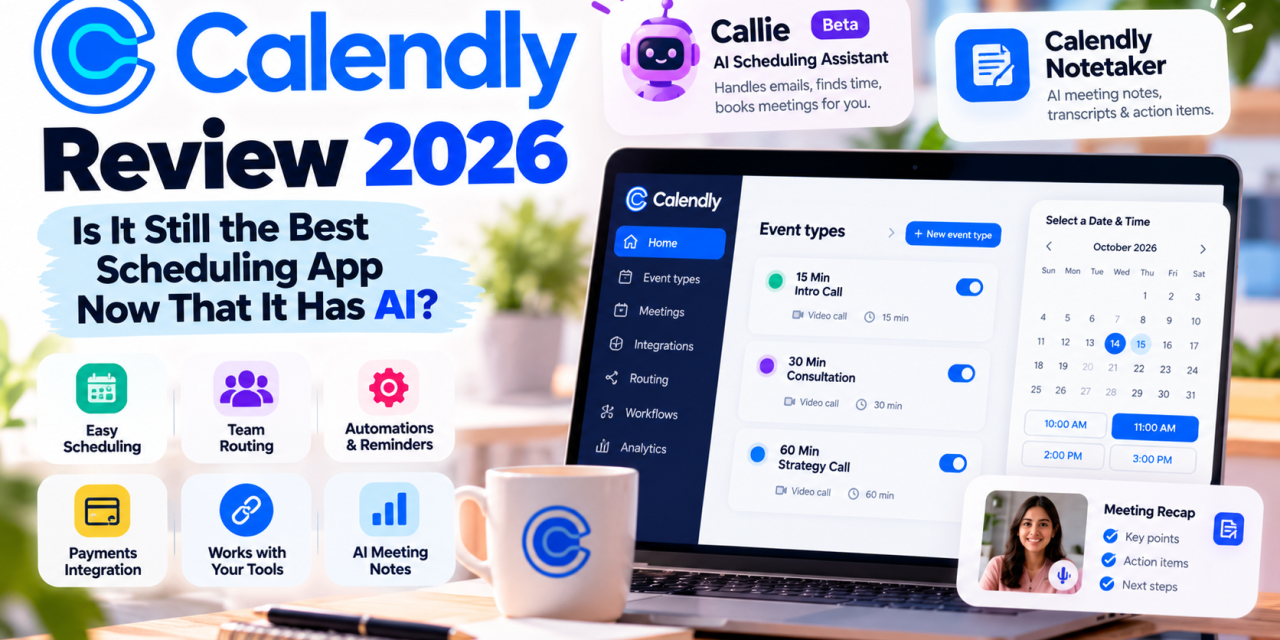
The basic unit in Calendly is the event type, such as a 15-minute intro call, a 60-minute consultation or a group webinar. Each one can have its own length, buffer times, daily limits, minimum notice period and intake questions. Your booking page shows all of them under one link. You can brand it and embed it on your website.
Automations and Reminders
On paid plans, Calendly can send reminder emails and texts, follow-ups after a meeting, and thank-you messages. Fewer no-shows is one of the most practical reasons people upgrade from the free plan.
Team Scheduling and Round-Robin
The Teams plan adds round-robin scheduling, which spreads meetings evenly across a group, and collective events, which find a time when several hosts are all free. Admins can also manage event types centrally. This is useful when a sales or support team needs consistent booking links.
Lead Routing
Routing forms are one of Calendly’s strongest features for businesses. A prospect answers a few questions, such as company size, region or product interest, and is sent to the right rep’s calendar. On Enterprise, routing can look up existing Salesforce records, so accounts go back to the reps who already own them.
Integrations
Calendly connects with the tools most businesses already use: HubSpot and Mailchimp on Standard; Marketo, Pardot and Salesforce meeting sync on Teams; and Microsoft Dynamics on Enterprise. Stripe and PayPal integrations let coaches and consultants take payment when someone books, which the free plan doesn’t allow.
The Big 2026 Update: Callie and Calendly Notetaker
On August 19, 2026, Calendly announced its new AI product suite. It’s the biggest change to the product in years.
Callie (Beta): An AI Scheduling Assistant
Callie handles the meetings that don’t fit a booking link. You copy [email protected] on an email thread and it reads the conversation, checks your availability, and handles requests like a different time, a new location or an exception to your usual hours. Nobody has to click a link. You can also ask Callie questions inside the Calendly app.
For executives, recruiters and anyone dealing with “can we do 7am my time?” requests, this fills a gap Calendly has always had. Calendly also says Callie will later suggest follow-up and re-engagement steps on its own.
Calendly Notetaker: AI Meeting Notes
Notetaker joins Zoom, Google Meet and Microsoft Teams calls, including meetings that weren’t booked through Calendly. It provides recordings, full transcripts and shareable recaps with action items, and can help with follow-up emails. Recaps are private by default and link back to the contact and event type. You can also ask Callie to recall what was said in a past meeting or prepare a brief before your next one.
Important limitation: At launch, both Callie and Notetaker work only for English-language accounts. Calendly says other languages are “coming soon.” Teams that don’t work mainly in English should wait.
Calendly Pricing in 2026
Calendly charges per seat, meaning per person who connects a calendar and hosts meetings. Invitees never need an account.
| Plan | Price (billed yearly) | Price (billed monthly) | Best For |
| Free | $0 | $0 | Individuals with one meeting type |
| Standard | $10/seat/month | $12/seat/month | Freelancers, consultants, solo pros |
| Teams | $16/seat/month | $20/seat/month | Sales, support and recruiting teams |
| Enterprise | From $15,000/year | Annual only | Large orgs (50-seat minimum) |
The free plan is limited: one event type, one connected calendar, one-on-one meetings only, and no payments, round-robin or automations. It’s fine for trying the product or very light use.
Standard adds unlimited event types, up to six connected calendars, automated reminders, HubSpot and Mailchimp, and Stripe and PayPal payments.
Teams adds round-robin, team scheduling, lead routing, centrally managed event types, Salesforce meeting sync, and Marketo and Pardot. SSO is available as an add-on.
Enterprise adds Salesforce lookup routing, SAML SSO, domain control, audit logs, a data deletion API and dedicated account support.
AI add-ons: Calendly has launched Standard Plus and Teams Plus plans that bundle the AI meeting features. Third-party pricing trackers list them at about $18 and $24 per seat per month on annual billing, roughly $8 more per seat than the base plans. Check Calendly’s pricing page for the current numbers before you buy, since AI bundles tend to change.
Calendly Pros and Cons
What We Like
- Very easy for invitees. No account, no download. Pick a time and you’re booked. This is still where Calendly beats most rivals.
- Mature routing and team features. Round-robin, routing forms and Salesforce integration are polished and reliable.
- Strong integrations. Calendar, video, CRM, marketing and payment tools are all well covered.
- Real AI improvements. Callie handles the email back-and-forth that booking links never could, and Notetaker means you may not need a separate AI note-taking tool.
- Clear core pricing with a free tier that never expires.
What Could Be Better
- The free plan is very limited. One event type is restrictive, and rivals like Cal.com offer more for free.
- Costs grow quickly per seat. A 10-person team on Teams Plus costs nearly $3,000 a year.
- AI is English-only for now, and Callie is still in beta.
- Enterprise has a high entry point with a 50-seat minimum and a starting price of $15,000.
Calendly Alternatives Worth Considering
- Cal.com: Open-source and developer-friendly, with a generous free plan and a self-hosting option. A strong choice for technical teams and privacy-focused businesses.
- Zoho Bookings: Good value if you already use Zoho CRM or Zoho One.
- TidyCal: A simple, low-cost option for solo users who want to pay once instead of subscribing.
- Google Calendar appointment schedules / Microsoft Bookings: Free with a Workspace or Microsoft 365 subscription. Fine for basic needs, but weaker on routing and automation.
Who Should Use Calendly?
Calendly is a great fit for:
- Sales and SDR teams that need lead routing and CRM sync
- Recruiters juggling interviews across many hiring managers
- Consultants, coaches and agencies that want to take payment when clients book
- Professionals who want scheduling, meeting notes and follow-ups in one tool
You might skip it if:
- You need only one simple booking link (the free plan or a calendar’s built-in scheduler may be enough)
- Your team works mainly in a language other than English and wants the AI features now
- You’re a developer-led team that wants open-source control (look at Cal.com)
Final Verdict: Is Calendly Worth It in 2026?
Calendly is still the most polished, easiest-to-use scheduling app on the market. Its strengths, a simple experience for invitees, reliable team routing and wide integrations, haven’t faded. The new AI tools are more than a gimmick: Callie fixes Calendly’s oldest weakness, messy email scheduling, and Notetaker carries Calendly past the booking into the meeting itself.
Solo professionals will get the most value from Standard. Revenue and recruiting teams should pick Teams, and add the Plus tier only if the AI meeting features will replace a tool they already pay for. Budget-minded users and technical teams should compare it with Cal.com before committing.
Our rating: 4.5 / 5. Still the benchmark for online scheduling, now with real AI.