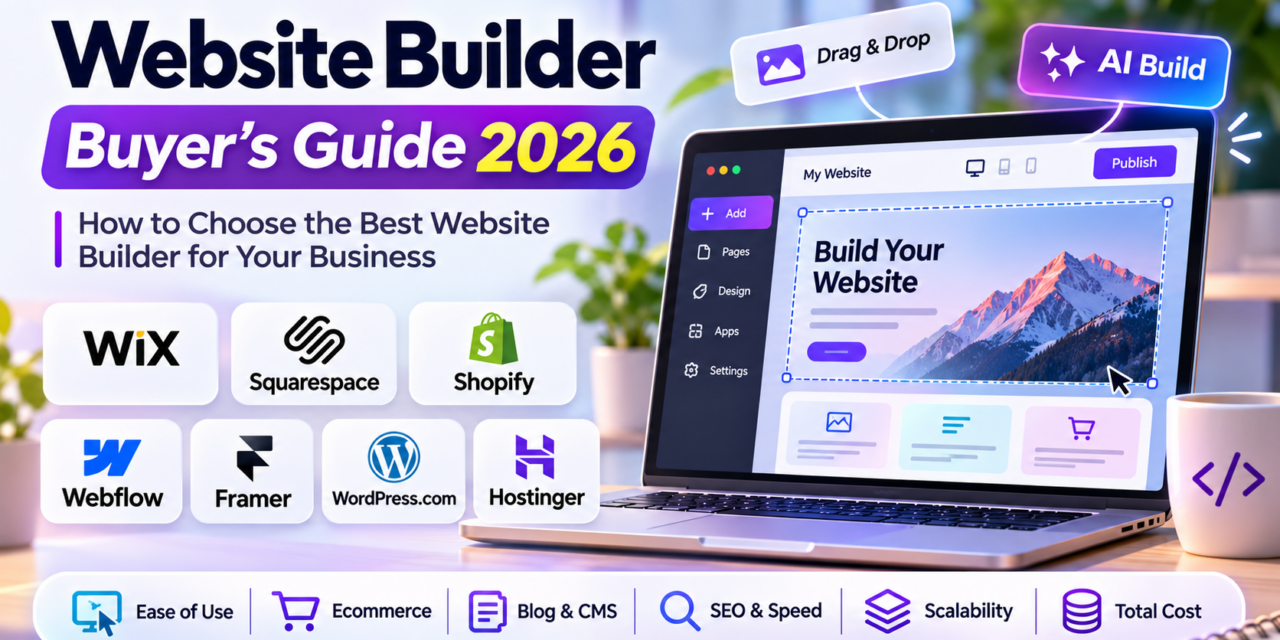
Website Builder Buyer’s Guide 2026
How to Choose the Best Website Builder for Your Business
Meta description: Compare the best website builders of 2026: Wix, Squarespace, Shopify, Webflow, Framer, WordPress.com and Hostinger, with real pricing and tips to help you choose.
A website is still the one piece of online real estate you fully control. Social platforms change their algorithms, marketplaces change their fees, but your site stays yours. The good news is that building one no longer needs a developer or weeks of work. The bad news is that there are now dozens of website builders, each with its own AI tools, pricing tiers and fine print.
This guide covers what actually matters when choosing the best website builder in 2026. It compares the leading platforms on current pricing and helps you match a builder to the kind of site you’re building, whether that’s a portfolio, a small business site, an online store or a content-heavy marketing site.
Why Your Choice of Website Builder Matters More in 2026
Every major builder now promises “AI that builds your site in minutes,” so they can all look alike. The differences show up later. You’ll notice them when you try to add a blog with hundreds of posts, sell your hundredth product, hand the site to a teammate, or move to another platform.
Three trends have reshaped the market this year:
- AI is built in everywhere. Squarespace, Framer, Hostinger and others now include AI credits for generating layouts, copy and images. They help with the first draft, but the credits usually run out, and the plan limits matter more than the AI.
- Commerce fees vary a lot. Two builders with the same monthly price can cost very different amounts once transaction fees are added.
- Introductory pricing is common. Budget builders often advertise very low multi-year prices that renew at three to four times the starting rate.
What to Look for in a Website Builder
Decide what you need before you compare brands. These are the criteria that separate a good fit from an expensive mistake.
1. Ease of use vs. design control
Drag-and-drop editors like Wix and Hostinger are the fastest to learn. Designer-focused tools like Webflow and Framer give pixel-level control, but they take more time to learn. Be honest about who will maintain the site after launch.
2. Ecommerce capabilities
If selling is central to your business, check product limits, payment options, inventory tools and, most importantly, transaction fees. A 2% platform fee on $10,000 in monthly sales costs you $200 a month on top of your subscription.
3. Content management and blogging
For content-driven sites, look at CMS limits: how many collections and items you can create, and whether the blog editor supports SEO fields, categories and scheduled publishing.
4. SEO and performance
Every serious builder lets you edit meta titles, descriptions and URLs, and supports sitemaps and SSL. Beyond that, compare page speed, structured data support and how cleanly the platform handles redirects.
5. Scalability and ownership
Ask what happens when you outgrow the plan. Can you export your content? Can you add custom code? Open platforms like WordPress make moving easier. Closed builders are harder to leave.
6. True total cost
Add up the subscription (at its renewal price), domain renewal, professional email, apps or plugins, and transaction fees. That total is the number to compare.
The Best Website Builders of 2026 Compared
Prices below are the current published USD rates, per month when billed annually, unless noted. Prices may vary by region and change often, so confirm on each vendor’s site before you buy.
Wix: Best All-Rounder for Small Businesses
Wix remains the most flexible drag-and-drop builder, with a huge template library, a large app market and built-in tools for bookings, events and online stores.
- Pricing: Light from about $17/month (2 GB storage, no ecommerce), Core about $29/month (50 GB, basic ecommerce), Business about $39/month (100 GB, standard ecommerce), and Business Elite about $159/month (unlimited storage, advanced ecommerce). Annual plans include a free domain for the first year.
- Best for: Service businesses, local shops and anyone who wants lots of built-in features without touching code.
- Watch out for: Once your site is built on one template, switching templates means rebuilding.
Squarespace: Best for Design-Led Brands
Squarespace is known for polished templates, and its 2026 lineup adds AI credits on every plan.
- Pricing: Basic 19/month(25 billed monthly, 2% fee on store sales), Core 29/month(39 monthly, 0% store fee), Plus $49/month and Advanced $99/month. Card processing ranges from 2.9% + $0.30 on Basic down to 2.5% + $0.30 on Advanced.
- Best for: Creatives, restaurants, consultants and small brands where looks matter.
- Watch out for: Basic carries a 2% online store fee and limits you to two contributors. Most growing businesses will want Core.
Shopify: Best for Serious Online Stores
If ecommerce is the core of your business, Shopify is still the benchmark. It offers inventory, shipping, multichannel selling and a deep app ecosystem.
- Pricing: Basic 29/month(39 billed monthly), Grow 79/month(105 monthly), Advanced 299/month(399 monthly), and Plus from $2,300/month. New stores get a 3-day free trial, then $1/month for the first three months on most plans.
- Fees: Online card rates run from 2.9% + 30¢ (Basic) to 2.5% + 30¢ (Advanced). If you use a third-party payment provider instead of Shopify Payments, an extra fee of 2%, 1% or 0.6% applies depending on your plan.
- Best for: Product businesses that plan to scale.
- Watch out for: Paid apps add up fast. Budget for them from day one.
Webflow: Best for Designers and Marketing Teams
Webflow combines visual design with real HTML/CSS control and a powerful CMS. That makes it a favorite of agencies and marketing teams.
- Pricing: A free Starter plan for testing (2 pages, Webflow subdomain), Basic $15/month (custom domain, no CMS), and Premium $25/month (up to 20,000 CMS items). Ecommerce plans start at $29/month (Standard, 2% transaction fee), with Plus at $74/month and Advanced at $212/month (both 0% fee).
- Best for: Content-rich marketing sites, startups and design agencies.
- Watch out for: It’s harder to learn than Wix or Squarespace, and the ecommerce product limits are lower than Shopify’s.
Framer: Best for Fast, Modern Landing Pages
Framer has grown from a prototyping tool into a website builder loved by startups for its smooth animations and AI-assisted page generation.
- Pricing: Free plan available, Basic $10/month (30 pages, 1,000 CMS items), and Pro $30/month (150 pages, staging environment) when billed yearly.
- Best for: SaaS landing pages, portfolios and product launches.
- Watch out for: Page limits on lower plans, and no native ecommerce comparable to Shopify.
WordPress.com: Best for Content and Long-Term Flexibility
WordPress powers a huge share of the web. WordPress.com gives you that ecosystem with hosting, security and updates handled for you.
- Pricing: Free plan, Personal $4/month, Premium $8/month, Business $25/month and Commerce $45/month (full WooCommerce, 0% transaction fee), all billed annually.
- Best for: Bloggers, publishers and businesses that want room to grow and the option to move to self-hosted WordPress later.
- Watch out for: Lower plans charge transaction fees on payment buttons (4% on Premium, 2% on Business). Serious stores should look at Commerce.
Hostinger Website Builder: Best Budget Option
Hostinger bundles an AI website builder with hosting, email and a domain at a very low entry price.
- Pricing: Premium from $2.99/month, Unlimited from $3.99/month and Cloud Startup from $7.99/month. These intro prices require paying upfront for 48 months. Renewals jump to $10.99, $16.99 and $25.99/month respectively.
- Best for: First-time site owners, side projects and very small businesses on a tight budget.
- Watch out for: The renewal price. Calculate your cost over three to four years, not just year one.
Quick Picks: Which Website Builder Should You Choose?
- Small local business or service provider: Wix or Squarespace
- Online store with growth plans: Shopify
- Content-heavy marketing site: Webflow or WordPress.com
- Startup landing page or portfolio: Framer
- Blog or publication: WordPress.com
- Tightest budget: Hostinger (mind the renewals)
Common Mistakes to Avoid
- Choosing on the year-one price alone. Always compare renewal pricing.
- Ignoring transaction fees. They can quietly exceed your subscription cost.
- Picking the most powerful tool for a simple site. A five-page brochure site doesn’t need Webflow’s learning curve.
- Forgetting the exit plan. Check content export options before you invest months of work.
- Skipping the free trial. Almost every builder offers a free plan or trial. Build a test page before you commit.
Conclusion: Pick the Builder That Fits Where You’re Going
There’s no single best website builder in 2026, only the best one for your goals, skills and budget. Wix and Squarespace suit most small businesses. Shopify is the right choice when selling comes first. Webflow and Framer give designers room to experiment, WordPress.com offers long-term flexibility, and Hostinger keeps the starting cost low.
Shortlist two or three platforms from this guide, sign up for their free plans or trials, and build the same simple homepage on each. Within an afternoon you’ll know which editor feels right and which pricing model works for you.
Building your online presence? Explore more software reviews and buyer’s guides on Apps400. Pair your new site with the right email platform using our Email Marketing Software Buyer’s Guide 2026. If you’ve used any of these builders, tell us about your experience in the comments.