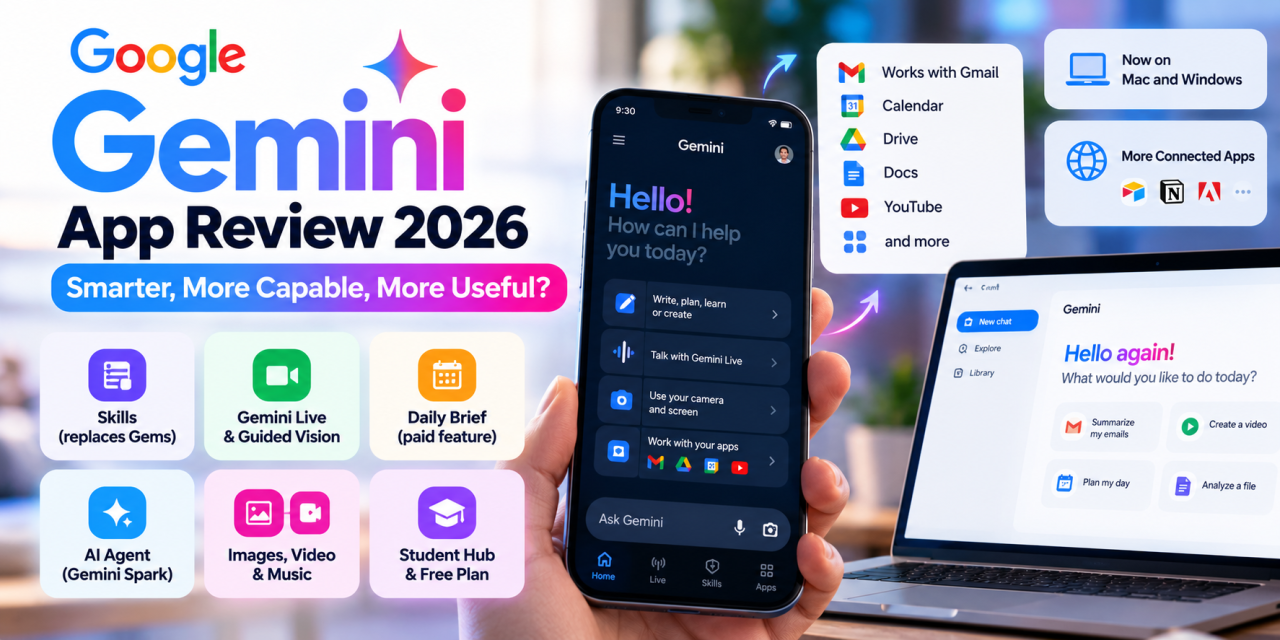
Google says Gemini now has more than 900 million monthly users across over 230 countries. A year ago it had about 400 million. That growth makes it one of the most-used AI assistants in the world. But lots of users isn’t the same as being good. And in 2026 the Gemini app is a very different product from the chatbot Google launched.
In this Gemini app review we look at where the app stands in October 2026. That includes the new Skills system rolling out today, Gemini Live, the agent features, the desktop apps and the subscription tiers. By the end you should know whether the free version is enough, or whether a Google AI plan is worth paying for.
What Is the Gemini App in 2026?
Gemini is Google’s AI assistant. It’s on Android (where it can replace Google Assistant), on iPhone through the App Store, and on the web. It now also has native desktop apps for macOS (from May 2026) and Windows (from September 10, 2026).
You can type, talk, share your camera or screen, upload files, and generate images, video and music. What sets it apart from rivals is how closely it ties into Google’s own services: Gmail, Calendar, Drive, Docs, Maps and YouTube.
The Big News Today: Skills Are Replacing Gems
As of October 13, 2026, Skills start rolling out in the Gemini app. They replace Gems, Google’s older custom-assistant feature.
What Skills Do
A Skill is a reusable set of instructions. For example, it could hold your brand voice, a report template or a step-by-step process. You can turn an existing chat into a Skill, and you can stack several Skills together. The big change is that Gemini can notice when a Skill fits your prompt and use it automatically, so you don’t have to pick it each time.
Skills use an open, Markdown-based SKILL.md format, so in principle you can move them to other compatible platforms. One catch: Skills you make in the Gemini app don’t sync with Skills made in Google Workspace. If you want the same Skill in both places, you have to create it twice.
Gems Phase-Out Timeline
- October 13: Skills begin arriving in the Gemini app (Workspace got them on October 5).
- November 17: Existing Gems move into Gemini’s Settings, where you can still use them for a while.
- Business and enterprise accounts: Keep Gems until at least March 1, 2027.
- Eventually: Remaining Gems are converted into draft Skills.
Our take: If you’ve set up a lot of Gems, start rebuilding your most-used ones as Skills now. Having Gemini pick the right Skill on its own is a real upgrade for repeat work like writing, reporting and studying.
Key Features of the Gemini App
Neural Expressive Redesign
Google announced a new look in May 2026, called Neural Expressive. It brings smoother animations, bolder type and haptic feedback to Android, iOS and the web. Gemini Live is now part of the main chat screen, so you can switch between typing and talking without opening a separate mode.
Gemini Live and Guided Vision
Gemini Live is still the app’s best feature. You can talk naturally, interrupt it, and point your camera at something to ask about it. On October 1, 2026, Google added Guided Vision to Gemini Live on Android. It was built with accessibility in mind: it describes your surroundings out loud through the camera, answers follow-up questions, and tells you how to move the phone for a better view. It works on supported Android 9+ devices, can be set as an Android accessibility shortcut, and works with TalkBack. It’s one of the most useful AI accessibility features on any phone right now.
Daily Brief
Daily Brief is an optional morning summary. It pulls urgent emails from Gmail and the day’s events from Calendar into one overview. It’s for paid subscribers and launched first in the US. If your inbox and calendar already run on Google, this alone could justify paying.
Gemini Spark (Agent Mode)
Gemini Spark is Google’s cloud-based agent. It keeps working on multi-step tasks even after you lock your phone or close your laptop. It connects to Gmail, Docs and Slides, plus partner services like Canva, OpenTable and Instacart. Google says it asks your permission before doing anything high-stakes, like spending money or sending an email. Spark launched as a beta for Google AI Ultra subscribers in the US, so most people can’t use it yet.
Connected Apps
In late September Google added more third-party Connected Apps, including Airtable, Linear, monday.com, Zoho, Adobe, Picsart, Squarespace, Webflow and Peloton. You can turn them on in settings or @mention them in a chat. That makes Gemini much more useful for work tasks outside Google’s own apps.
Creative Tools: Images, Video and Music
- Nano Banana handles image generation and editing.
- Gemini Omni turns text, image and video prompts into video (paid plans only).
- Lyria 3.5 brings music generation to the app.
The quality is competitive, but how much you can generate depends heavily on your plan.
Student Hub
Also new on October 1: a Student hub with study notebooks, flashcards and practice quizzes. Google is also offering a free 12-month Google AI plan to eligible college students, which makes Gemini an easy pick for students.
Gemini on Desktop: Mac and Windows
The new desktop apps matter even in a mobile review, because your chats follow you between devices. On Windows, pressing Alt + Space opens Gemini over whatever you’re working on. From there you can summarize Gmail and Drive, generate images and video, or hand tasks to Spark if your plan includes it. The app runs on Windows 10 and 11 and is free to download.
Gemini Pricing in 2026
Google reorganized its plans at I/O 2026. Instead of daily prompt limits, it now counts how much compute you use: a simple text question uses less of your allowance than generating video. Your allowance refills every five hours, up to a weekly cap. If you run out, Gemini switches you to smaller models instead of cutting you off.
| Plan | US Price | Highlights |
| Free | $0 | Core chat, Gemini Live, image generation, lower usage limits |
| Google AI Plus | $7.99/month | 2x usage limits, Gemini Omni video, Daily Brief, 200 GB storage |
| Google AI Pro | $19.99/month | 4x limits, Pro model access, 5 TB storage, YouTube Premium Lite |
| Google AI Ultra | From $99.99/month | Up to 20x limits, Gemini Spark beta (US), 20 TB storage, full YouTube Premium |
Prices are US list prices at the time of writing. Regional pricing and features vary.
Value verdict: For most people, AI Plus is the best value. AI Pro is worth it if you’ll use the 5 TB of storage and the YouTube perks anyway. Ultra is really only for power users and early adopters who want Spark.
Pros and Cons
Pros
- Deeper Google integration (Gmail, Calendar, Drive, Maps) than any rival
- Gemini Live with Guided Vision is excellent, and a standout for accessibility
- Skills make repeat workflows much faster
- Strong free tier and a good-value entry plan at $7.99
- Available on Android, iOS, web, Mac and Windows
Cons
- The best agent features (Spark) are limited to Ultra subscribers in the US
- Features change often (Gems to Skills is the latest example), which can frustrate heavy users
- Usage limits based on compute can feel unpredictable
- Many features roll out in the US first
Gemini on Android vs iPhone
On Android, Gemini is built into the system. You can open it with the power button or by saying “Hey Google”, it can act on what’s on your screen, and Guided Vision is currently Android-only. On iPhone, you get the same chat, Live and creative tools, but it’s a regular app, so it can’t reach as deep into the phone. If you’re on iPhone and already use Google services heavily, it’s still a good choice. It just won’t feel as built-in.
Who Should Use the Gemini App?
- Google Workspace users: It’s the clear choice. Daily Brief, Gmail and Drive summaries, and Skills fit the way you already work.
- Students: The Student hub and the free student plan make it hard to beat.
- Android users: It’s the best-integrated AI assistant on the platform.
- People who want an autonomous agent: Spark looks promising, but for now you’ll need Ultra and a US account.
Final Verdict: Is the Gemini App Worth It in 2026?
Rating: 4.5/5
The Gemini app has become one of the most capable AI assistants on mobile. Skills, Gemini Live with Guided Vision, and the new Mac and Windows apps make it feel like a full productivity platform rather than a chatbot. Its biggest weaknesses are uneven availability and features that keep changing. But if you live in Google’s ecosystem, the free tier is a no-brainer and AI Plus is a cheap, worthwhile upgrade.
Ready to try it? Download the Gemini app from Google Play or the App Store, set up your first Skill, and tell us in the comments how it compares with ChatGPT or Claude for you. For more honest app reviews and buyer’s guides, check out our Android Apps section and subscribe to Apps400 so you don’t miss a review.
Sources:
- The Gemini app becomes more agentic (Google Blog)
- The Gemini app is now available for Windows (Google Blog)
- Guided Vision in Gemini Live (Google Blog)
- Google outlines timeline to phase out Gemini Gems (Android Central)
- Google overhauls its AI subscriptions at I/O 2026 (The Decoder)
- Google’s new AI subscription plans explained (TechCabal)
- Gemini updates, Sept–Oct 2026 (Releasebot)
- Apps400 Blog Content Calendar (Google Sheet)
Two notes before you post:
- Facts from a roundup site: The Connected Apps list, Lyria 3.5, the Student hub and the free student plan came from Releasebot, a release-notes roundup, not from Google directly. A quick check on Google’s pages would be worth it.
- Calendar: It needs new rows from Oct 3 onward. Until then, these runs will keep picking topics from the weekly pattern.