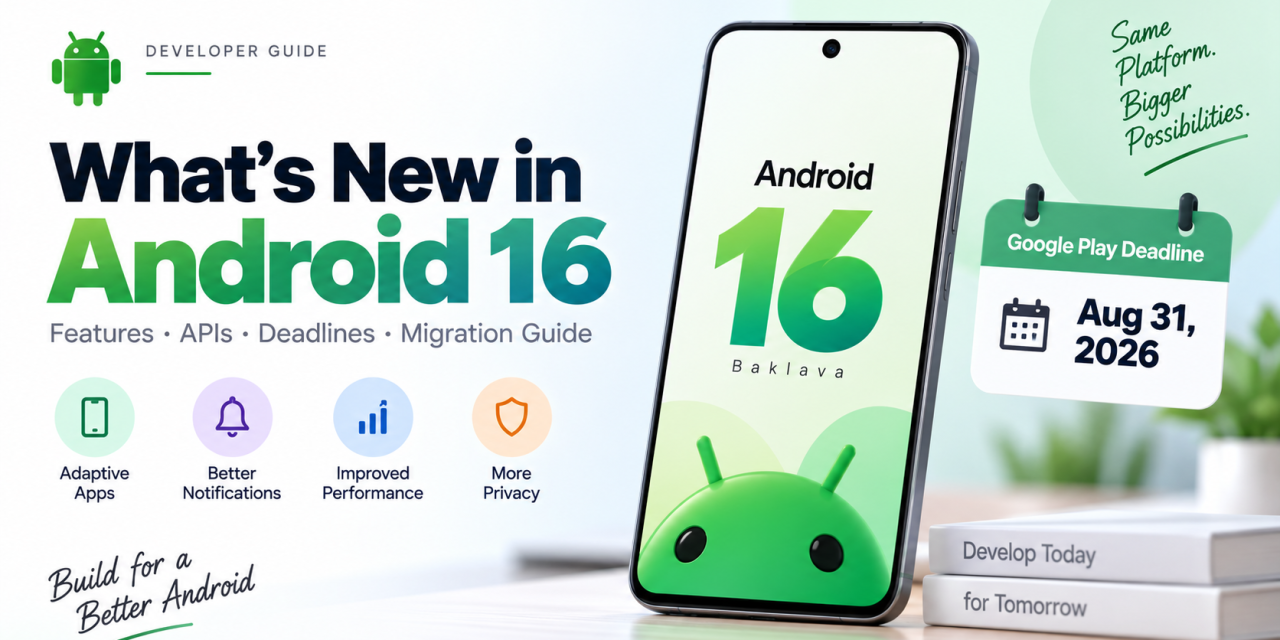
Google Play’s deadline to target Android 16 came and went on August 31, 2026, which means if your app isn’t there yet, you’re already working against the clock rather than ahead of it. Whether you’re catching up on the target API requirement or just trying to understand what actually changed under the hood, this Android 16 developer guide walks through the features, APIs, and deadlines that matter most right now.
Android 16 (codename “Baklava”) shipped as a stable release on June 10, 2025, arriving earlier in the year than any previous Android version as Google moved to a new “trunk stable” development model with two API releases per year. It carries API level 36, and it’s still the version every Android developer needs to have targeted, even with Android 17 already out as a stable release since June 2026. Here’s what’s actually in it, and what you need to do about it.
The Deadline You Can’t Ignore: API Level 36
The single most consequential thing about Android 16 for most developers isn’t a feature at all — it’s Google Play’s target API level policy. As of August 31, 2026, new apps and app updates submitted to Google Play must target Android 16 (API level 36) or higher. Apps that miss this requirement don’t get pulled from the store entirely, but they stop being available to install or update for any user running an Android OS version newer than the app’s target API level, which in practice locks you out of a growing share of the Play Store audience.
A few things worth knowing if you’re behind:
– Existing installs are unaffected. Users who already have your app installed can keep using it; the restriction only hits new installs and updates.
– A short extension exists. Google allows developers to request an extension pushing the effective deadline to November 1, 2026, but it’s not automatic — you need to request it through Play Console before your app is affected.
– Some categories are exempt. Wear OS, Android Automotive OS, Android TV, and Android XR apps run on separate, lower target API requirements, so check the category-specific rules before assuming you’re non-compliant.
If you haven’t bumped `targetSdkVersion` to 36 yet, that’s the first task on your list this week — not a nice-to-have for some future sprint.
Building Adaptive Apps Is No Longer Optional
Android 16 leans hard into the “adaptive apps” push Google has been building toward for several release cycles, driven by the growing mix of foldables, tablets, and the new desktop windowing mode Android 16 introduced for large screens. If your layouts still assume a fixed phone-shaped canvas, this is the release where that assumption starts costing you visibly, especially since Play Console now surfaces large-screen quality warnings more prominently.
Practically, that means auditing your app against Jetpack Compose’s adaptive layout APIs (`WindowSizeClass`, `NavigationSuiteScaffold`, and the newer adaptive layout guidance in `androidx.compose.material3.adaptive`), testing resizable/multi-window behavior rather than locking orientation, and making sure your app doesn’t break when a user drags it into split-screen or Android 16’s tablet desktop mode.
Notable APIs Worth Adding to Your Roadmap
Beyond the headline deadline, Android 16 shipped a long list of developer-facing APIs. A few stand out for real-world impact:
Progress-centric notifications.The new `Notification.ProgressStyle` API gives rideshare, delivery, and navigation apps a native way to show a live, step-based progress bar in the notification shade instead of a generic progress spinner — worth adopting if your app tracks any kind of ongoing journey.
Predictive back improvements.** New callback priorities (`PRIORITY_SYSTEM_NAVIGATION_OBSERVER`) and system callbacks like `finishAndRemoveTaskCallback()` give apps finer control over back-gesture animations without breaking system-level back-to-home behavior — useful if your app has custom navigation stacks.
Performance and profiling.`ProfilingManager` now supports system-triggered profiling for cold starts, ANRs, and `reportFullyDrawn()` events, and new `JobScheduler` methods (`getPendingJobReasons()`, `getPendingJobReasonsHistory()`) make it far easier to debug why a background job hasn’t run. Games and performance-sensitive apps also get new ADPF headroom APIs (`SystemHealthManager.getCpuHeadroom()` / `getGpuHeadroom()`) to make smarter real-time performance decisions.
Adaptive refresh rate. `Display.hasArrSupport()` and `Display.getSuggestedFrameRate()` let apps work with variable refresh rate displays more intelligently, and RecyclerView 1.4 picked up built-in support for it.
Accessibility. Android 16 added a meaningful batch of accessibility APIs — high-contrast text detection, multi-label support, tri-state checkbox semantics, and required-field flagging for forms — that are worth reviewing if accessibility compliance is part of your QA checklist.
Health Connect and privacy. Health Connect picked up an `ACTIVITY_INTENSITY` data type aligned with WHO activity guidelines and new medical records APIs supporting the FHIR format, relevant if you’re building in the health and fitness space.
Where Android 16 Fits Today
It’s worth being clear-eyed about timing: Android 17 (API level 37) already shipped as a stable release on June 16, 2026, bringing its own set of changes around on-device Gemini Nano integration, app bubbles, and interactive picture-in-picture. That doesn’t make Android 16 irrelevant — it’s still the mandatory minimum target for the Play Store, still the version the bulk of the active Android install base is running, and still where most of 2026’s real migration work is happening. Think of Android 16 compliance as the floor you need to clear, and Android 17 features as what you evaluate next once that’s done.
A Practical Migration Checklist
If you’re planning your update, here’s a reasonable order of operations:
1. Bump `targetSdkVersion` to 36 and run your full test suite against it — behavior changes around notifications, background restrictions, and predictive back are the most common sources of regressions.
2. Audit large-screen and multi-window behavior, since this is now a Play Console visibility factor, not just a UX nicety.
3. Check any code touching notifications, job scheduling, or camera APIs against the specific Android 16 behavior changes, not just the new-feature list.
4. If you can’t finish in time, file for the Play Console extension to November 1, 2026 before you’re locked out of new installs.
5. Once compliant, start scoping which Android 17 APIs are worth adopting next, rather than trying to chase both releases simultaneously.
Final Thoughts
Android 16 is less about one flashy headline feature and more about a dense set of platform changes — a hard compliance deadline, a real push toward adaptive, large-screen-ready apps, and a long tail of API improvements across performance, accessibility, and media. If you’ve been putting off the target SDK bump, the Play Store’s August 31 deadline has already made that decision for you. Start with compliance, then work through the adaptive layout and performance APIs that will actually improve your app’s quality score.
Have you migrated your app to target Android 16 yet, or are you racing the November extension deadline? Share where you’re at in the comments, and if you want a deeper walkthrough on any of these APIs — adaptive layouts, notification progress styles, or the new profiling tools — let us know and we’ll cover it in an upcoming post.